CheerFlow

Features

From registration to competition day, in one place.

Everything event producers and programs need to run a season — no more juggling platforms, systems and spreadsheets.

NewCRM & Sales

A full CRM built for event producers

Every program that registers becomes an account, with next season's opportunities already in your pipeline. Follow up, email, run campaigns, capture leads from your website and see every rep's numbers — with live registration and payment data from CheerFlow, not another spreadsheet.

Explore the CRM →

New this season

Spectator tickets

Sell tickets online and at the door

Spectator tickets, built in

Sell day passes, weekend passes and parking online, then sell and scan at the door. You keep your full ticket price; buyers pay a small ticket fee.

  • Online checkout, plus card reader, scan to pay and cash at the door
  • Ticket categories, promo codes, parking passes, ticket info and your refund policy
  • Scan tickets in, then see attendance and money in event and season reports
  • Ticket staff scan and sell at the door right in the CheerFlow app on their phone
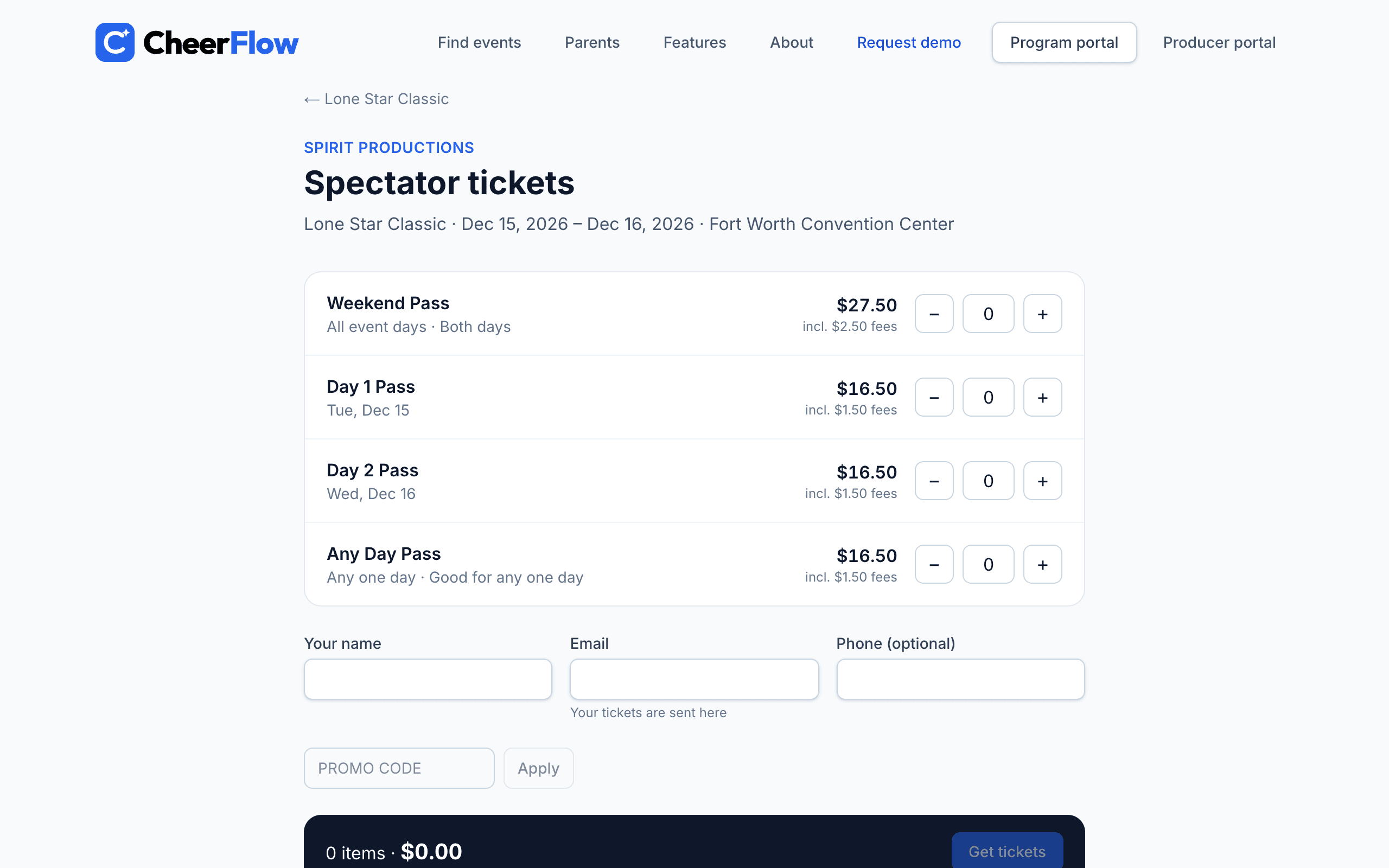
CheerFlow — Spectator tickets, built in

CRM & SalesNew

A full CRM built for event producers

New

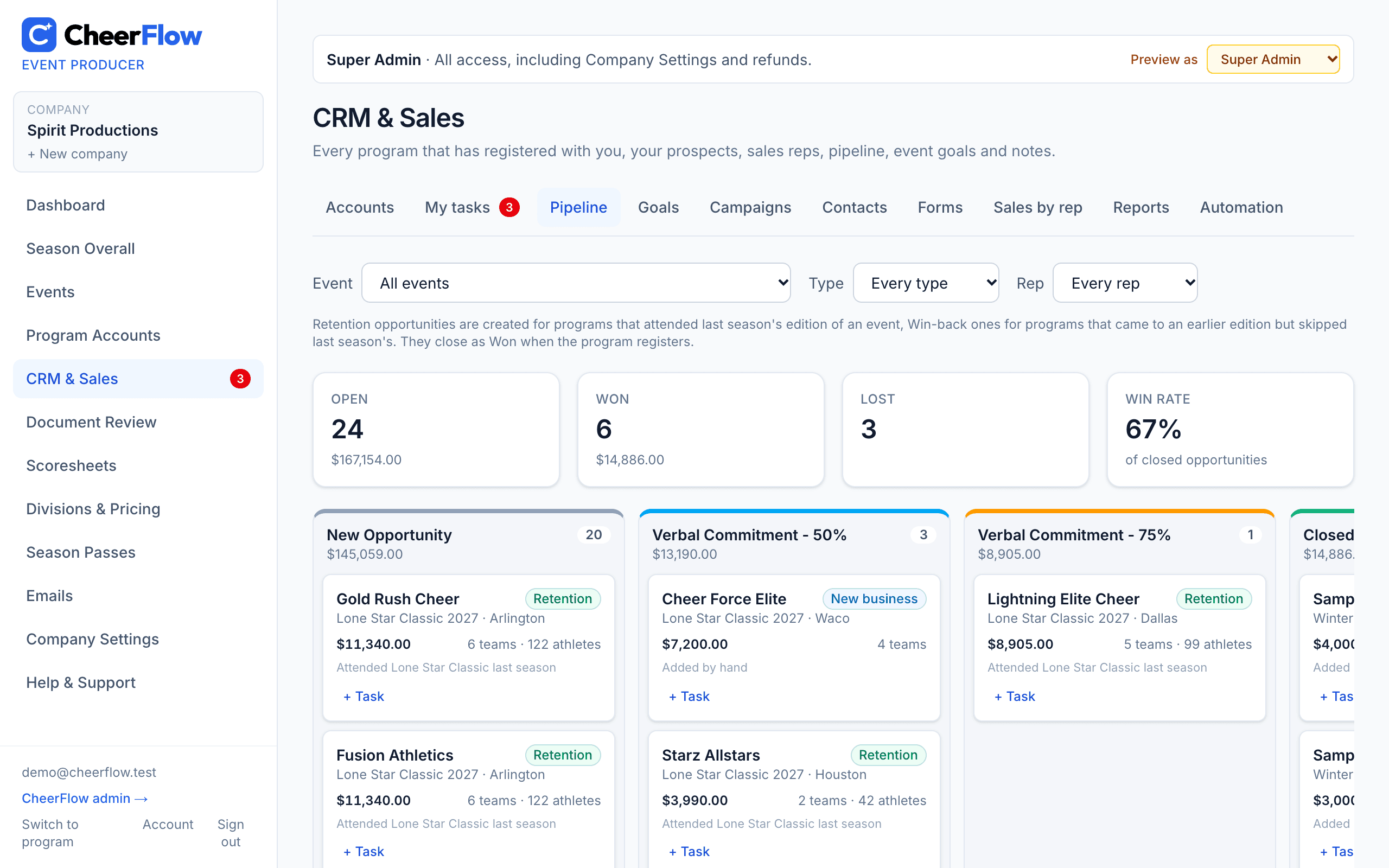
CRM accounts and a pipeline that fills itself

Every program that registered becomes an account — Lead, Prospect, Customer or Past customer — with retention, win-back and new-business opportunities for next season's events moving New → Verbal 50% → Verbal 75% → Won or Lost.

  • Conversion steps for Leads and Prospects: invite them to CheerFlow or send an event's registration link, then Registered → Won — the account becomes a Customer on its own
  • Live customer data on the account: teams, divisions, athletes, registrations, invoices, payments, balance due and season passes for your events
  • Account types (All Star, School, Rec, Dance Studio, College), several contacts per account, lead source and tags to filter by
  • Assign sales reps — Sales Staff see only their own accounts
  • When a prospect you added by hand joins CheerFlow, link it in one click — no duplicate accounts
  • Team, athlete and revenue goals for every event, tracked live
CheerFlow — CRM accounts and a pipeline that fills itself

New

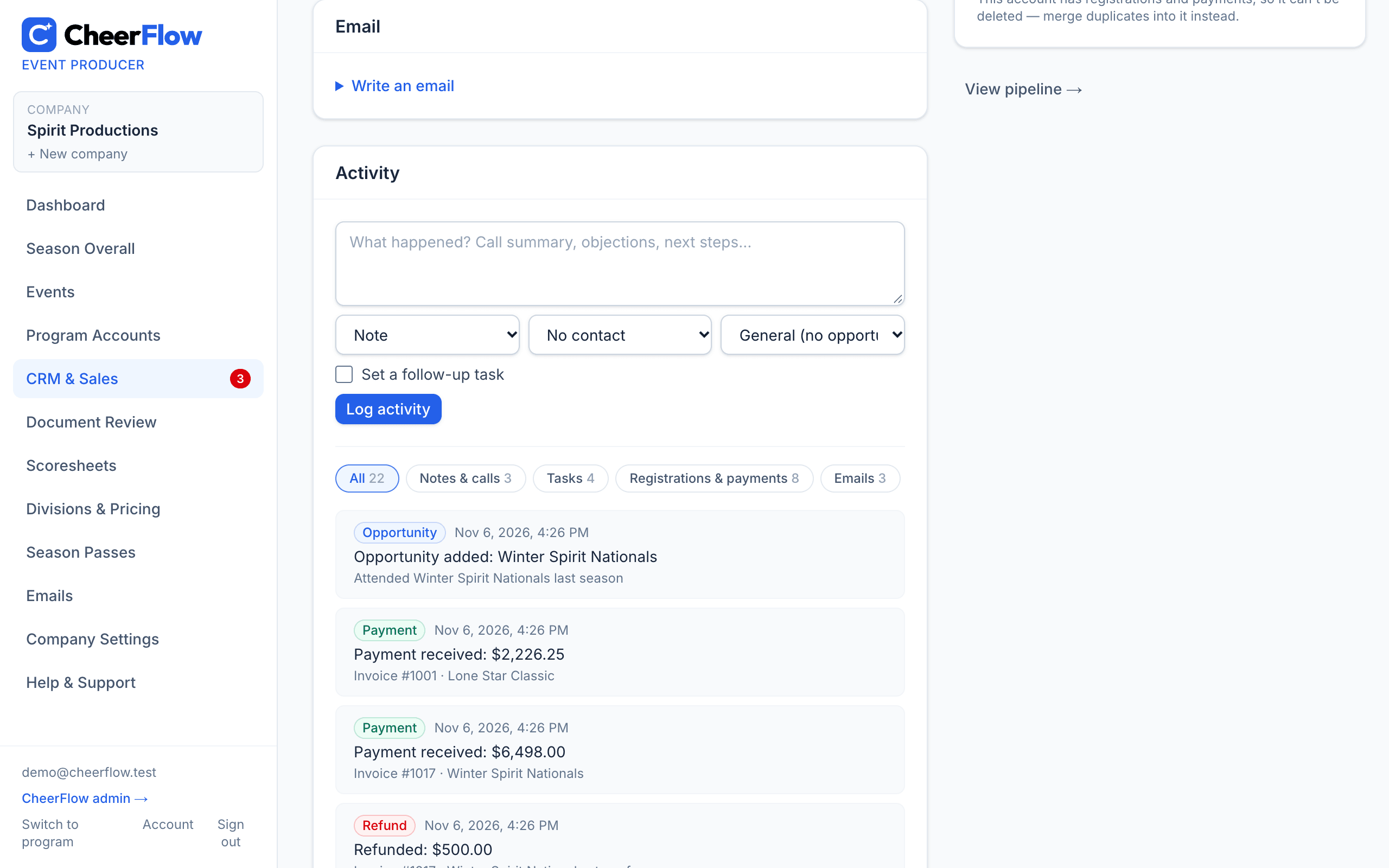
Tasks, one timeline and your calendar

Every call, note, task and stage change sits on one timeline per account, next to the program's registrations, payments and the emails CheerFlow sent them — so anyone can pick up where the last person left off.

  • Tasks and follow-ups (“Follow up in 3 days”) from an account or a pipeline card, with a My tasks list and a due-today count in the menu
  • Log a call, email or meeting with a contact and set the follow-up in the same step
  • Email contacts straight from an account — sent in your company's name, replies come back to you, and every email lands on the timeline
  • Your CRM tasks in Google Calendar, Apple Calendar or Outlook with a private subscribe link
CheerFlow — Tasks, one timeline and your calendar

New

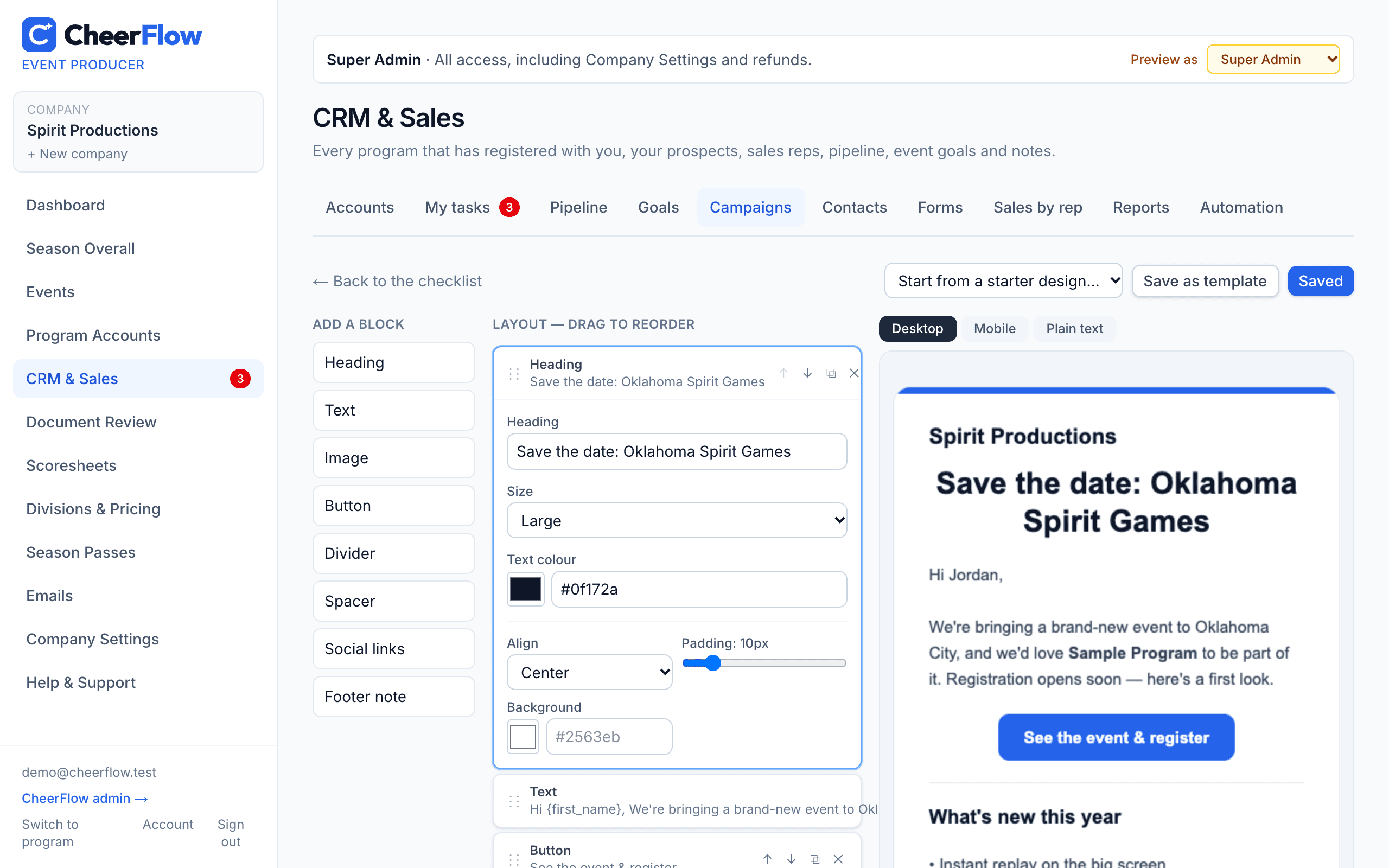
Email campaigns, designed in minutes

Design a blast with drag-and-drop blocks — headings, text, images, buttons and social links — preview it on desktop and phone, and send it now or schedule it for later.

  • Starter designs and your own templates, merge tags for first name and gym name, and a test email to yourself
  • Send to everyone or filter by state, account type, status, tags, rep and who registered for an event or season — owners & directors only or every contact — with a live count and saved audiences
  • A/B test two subject lines on part of the audience; the winner (by open or click rate) goes to everyone else automatically
  • A one-click unsubscribe link and your mailing address on every campaign
  • A contacts list with each address's status, CSV import with consent confirmation, and CSV export
CheerFlow — Email campaigns, designed in minutes

New

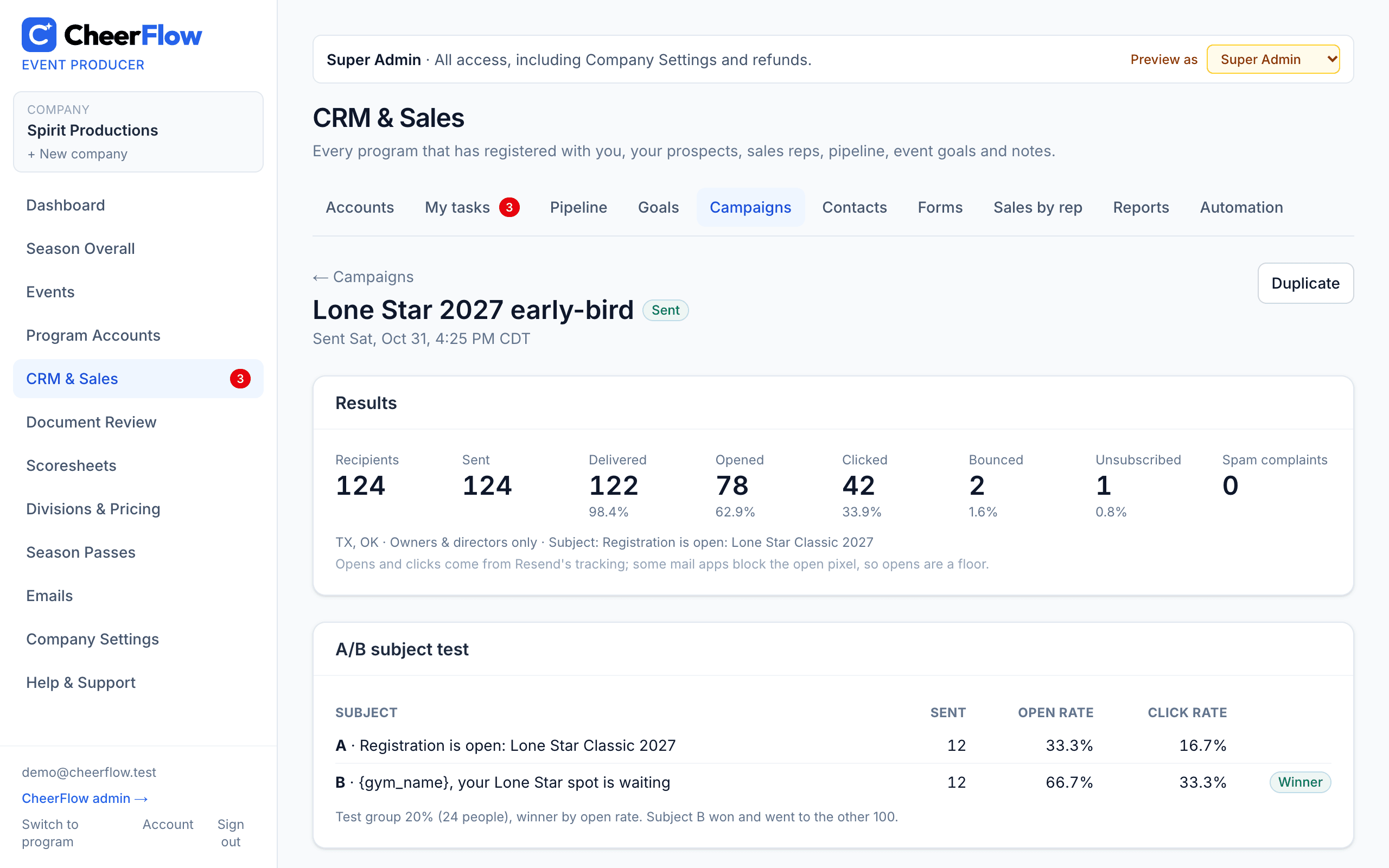
Campaign reports you can act on

See how every campaign did the moment it goes out: delivered, opened, clicked, bounced, unsubscribed and spam complaints — overall, by link and for each recipient.

  • Clicks by link, so you know which button got them to register
  • A/B results side by side, with the winning subject marked
  • Each recipient's activity, and the exact email they received
  • Bounces and complaints are taken off your list for you
CheerFlow — Campaign reports you can act on

New

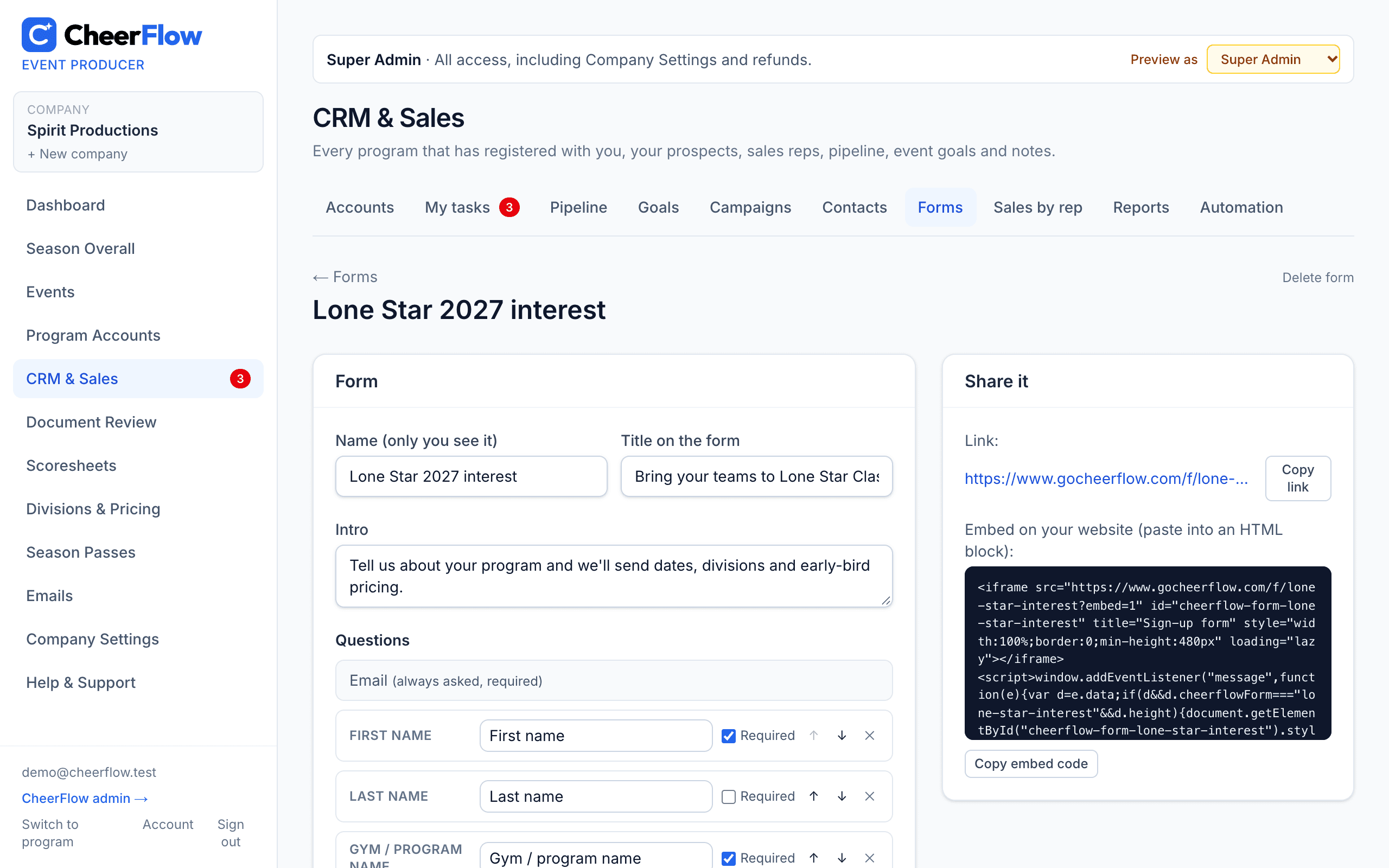
Lead forms for your website

Build a sign-up form, paste one embed code on your website (or share its link), and every answer becomes a Lead in your CRM — with a contact, the answers on its timeline and a heads-up email to the rep.

  • Email plus the questions you choose: name, gym, state, program type, role and your own dropdowns, checkboxes and yes/no questions
  • A marketing consent box — people who don't agree are left out of campaigns
  • Spam protection built in
  • Default tags and rep on every lead, and campaign filters by form and answer
  • Every submission in one list, with a CSV download
CheerFlow — Lead forms for your website

New

Automation and sales reporting

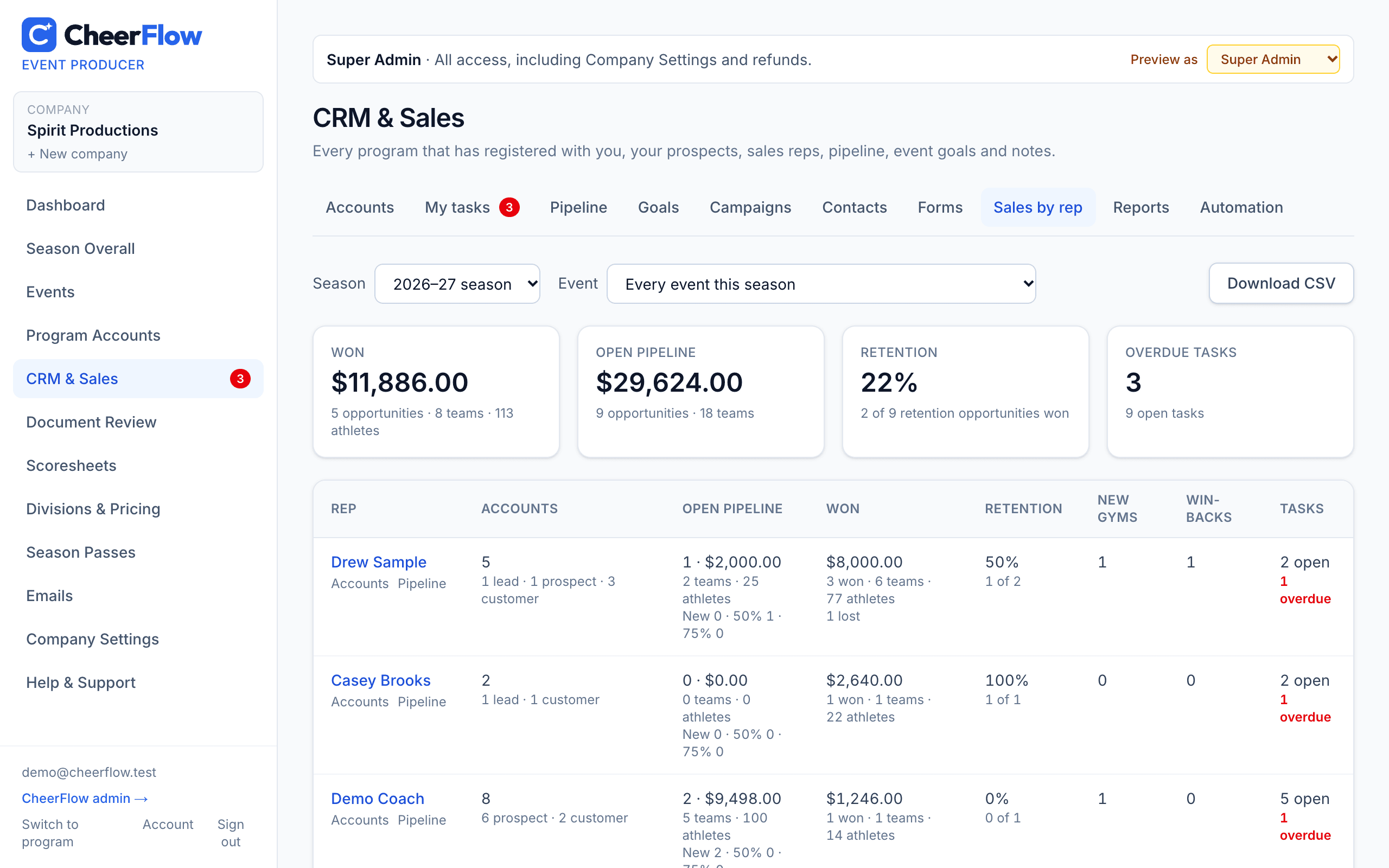
Rules that keep follow-ups from slipping, and the numbers Super Admins need to run a sales team — by season or by event.

  • Automation rules: a task for the rep when a retention opportunity goes quiet or a new lead sits untouched, and reminders about Verbal 75% opportunities before registration closes
  • Sales by rep: each rep's accounts, open pipeline by stage, won $, teams and athletes, retention rate, new gyms signed, win-backs and overdue tasks — with a CSV download
  • Season reports: retention this season vs last, the pipeline by event and stage against each event's goals, and won vs lost with the reasons deals were lost
CheerFlow — Automation and sales reporting

Registration & sales

Fill your events — and get paid

A master event list programs actually use

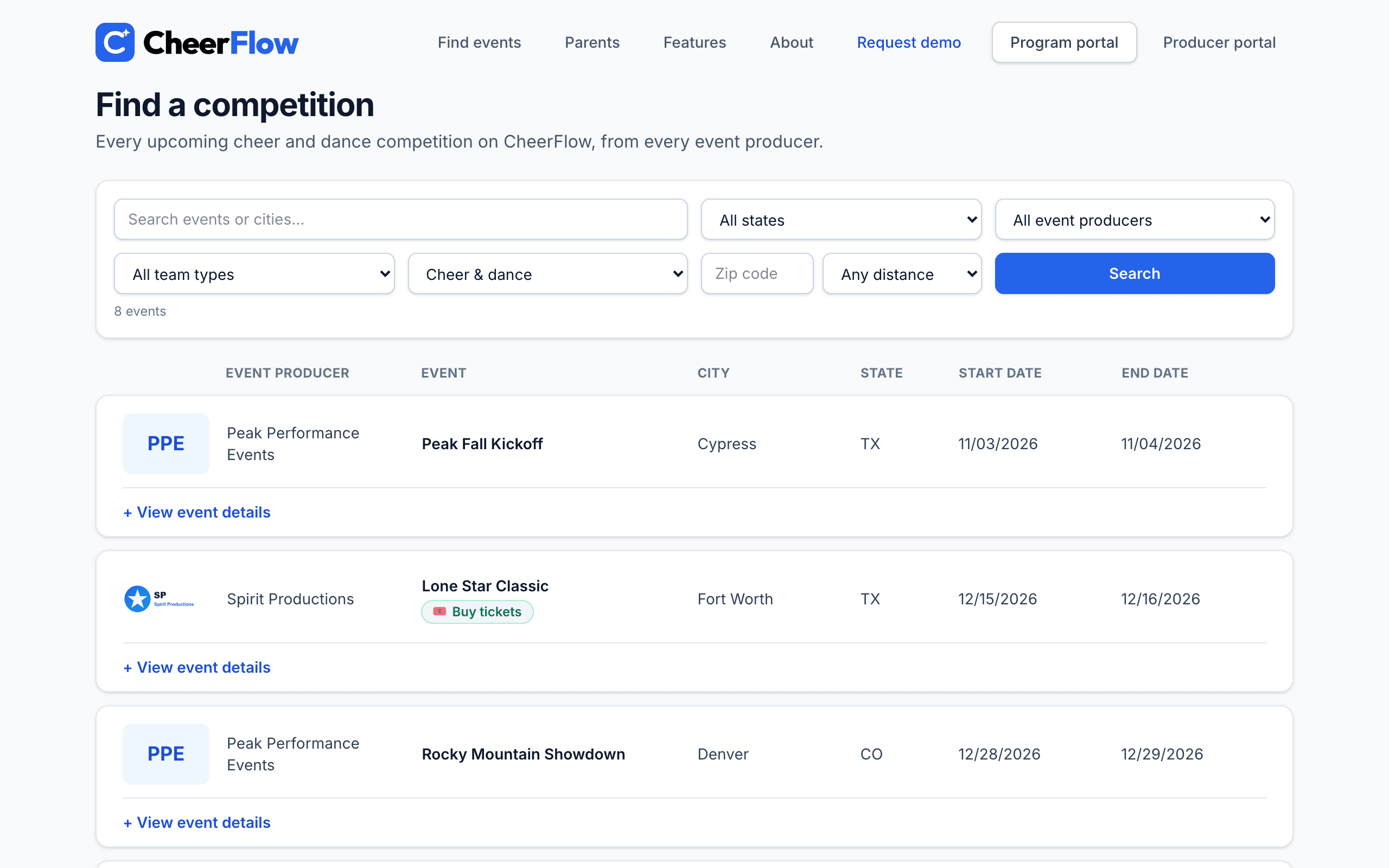
Every published event lands on one public list programs can search by state, zip code and distance, team type, cheer or dance, and producer.

  • Choose exactly what each event shows — venue, dates, pricing, bids
  • Embed the list on your own website
  • Pricing PDFs and full event pages in one click
CheerFlow — A master event list programs actually use

Register every team in minutes

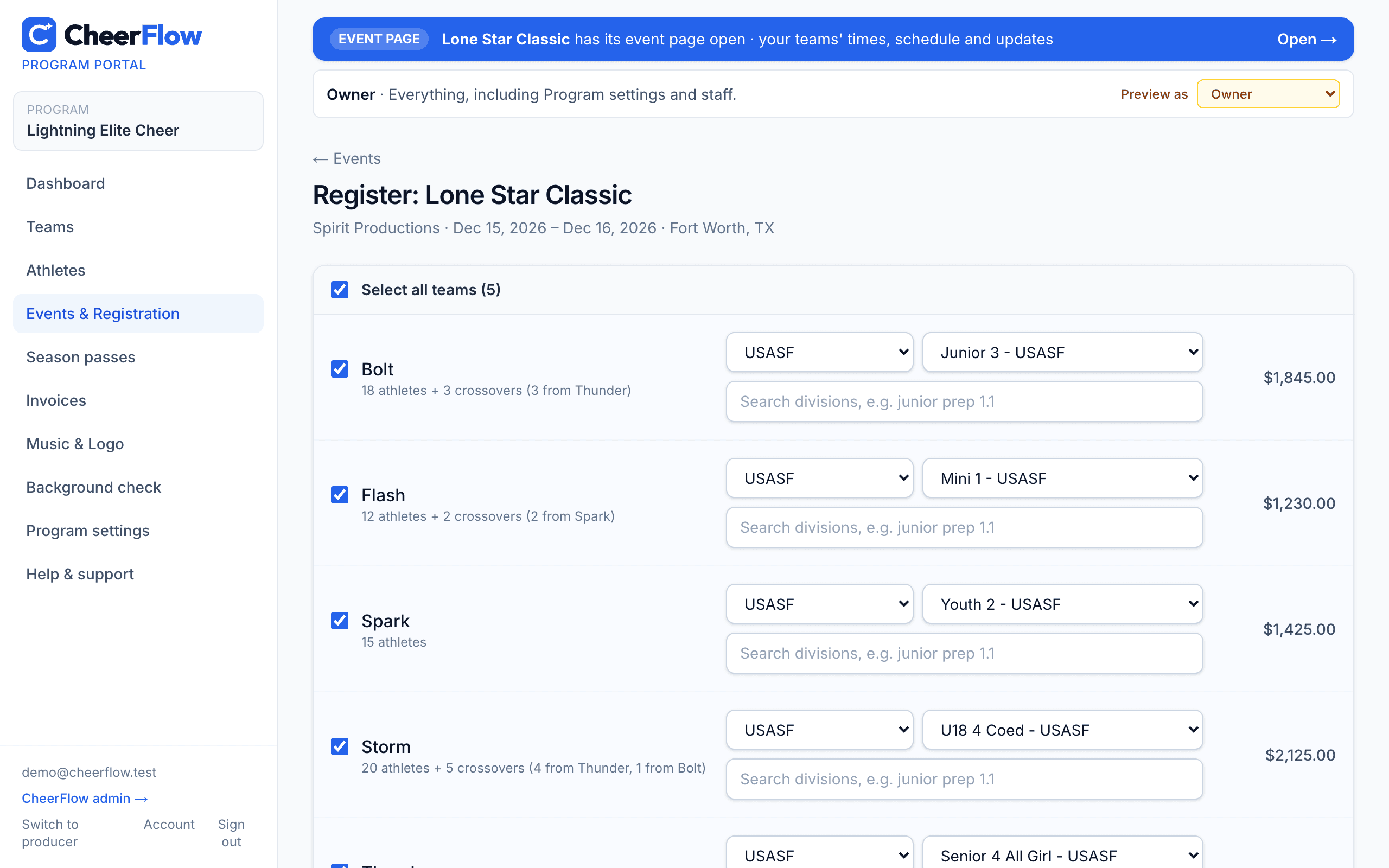
Programs build their teams once, then register for any event: select all their teams, pick the organization and division, see the price, and submit.

  • Upload rosters from Excel, CSV, a PDF or a photo — just drop the file in
  • Crossovers counted and priced automatically; each athlete counted once
  • Programs import their whole athlete list once, then tick athletes onto each team
  • Athletes who no longer cheer for a program can be made inactive — hidden from the list and roster pickers, record and waivers kept
  • Possible crossovers flagged — the same athlete entered two ways, like a birth-date typo or a name one letter off (Lyle / Lyles) — so none go uncounted
  • Rosters and birth-date eligibility checked where the rules call for them
  • Division size limits: each division shows its athlete and male range, a team outside it gets a warning pointing to the size that fits (Senior 6 Small → Medium), and you see it flagged on Registrations
  • Programs can add Admin Staff to handle registrations and invoices — not counted as coaches
  • A Staff tab for programs: every coach across the teams in one list — add coaches to teams, invite them to join, and upload background checks for them (even before they have an account)
  • A USASF member program can say so once — all of its staff count as covered by USASF on your reports and check-in sheets
  • You choose: rosters for every division, or let the groups you pick register with just an athlete count
CheerFlow — Register every team in minutes

New

Change requests and team updates, handled for you

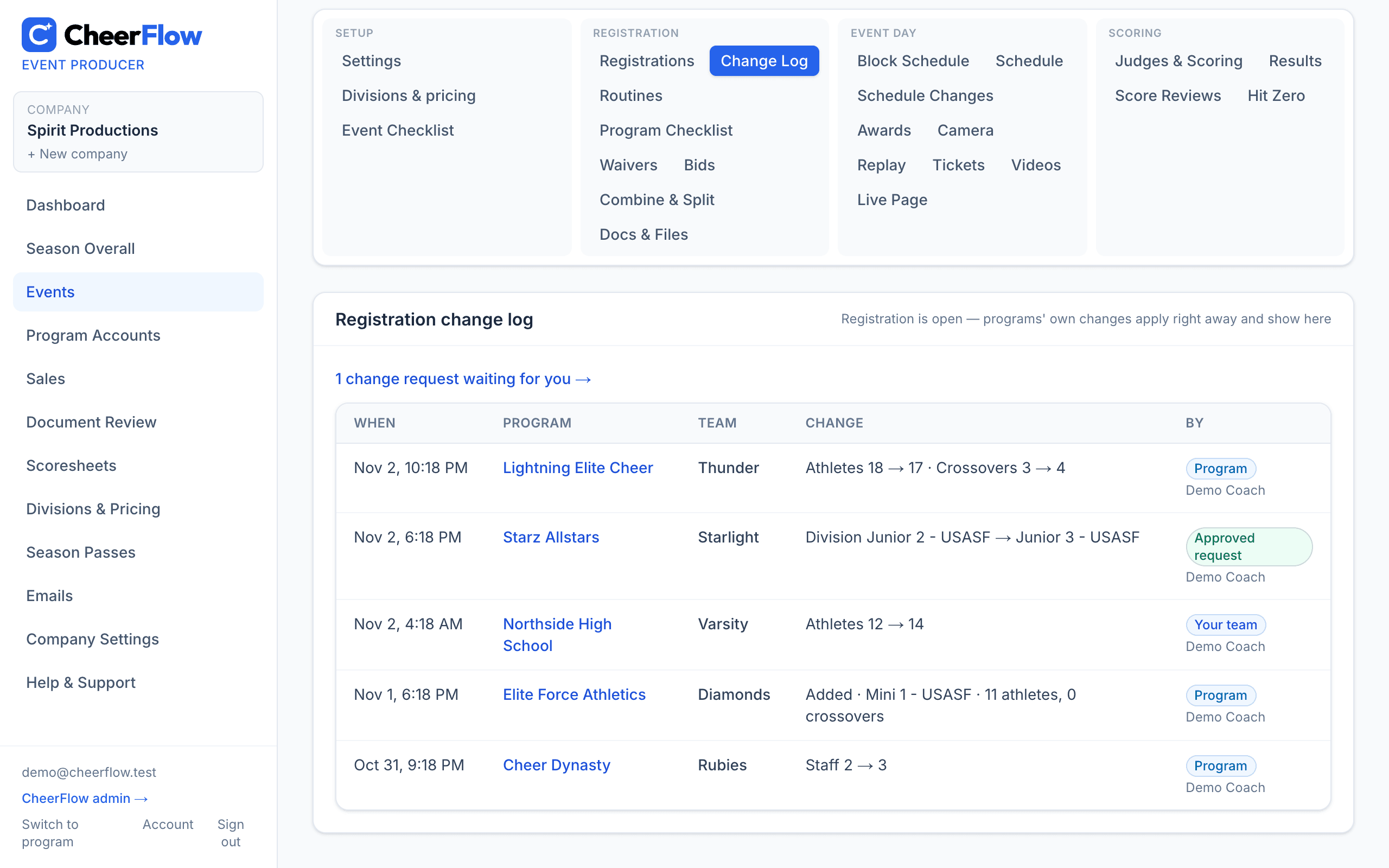
When a team's roster, athlete count, crossovers or staff change, every event it's registered for updates right away — and so does the invoice. A division change updates right away before your approval date; after it, it comes to you to approve.

  • Pick the date division changes start needing your approval, or leave it at registration closing
  • Approve or decline — the registration and invoice update themselves
  • Coaches who change a team's division are prompted to send it to their events — and reminded until they do
  • Invoices update on their own whenever something changes the price — rosters, divisions, division and season prices, fees, discounts and season passes — and every change in a total is in the change log
  • A change log of everything that changed, by whom and when
  • Edit a team's athletes and crossovers yourself anytime
  • Add and register a program's team before you have every parent email — the program is asked to add them
  • Withdraw one team or a whole registration: it's off divisions, the schedule, results and counts, the invoice is recalculated (overpaid? refund or transfer in a click), the program is told — and you can reinstate it
CheerFlow — Change requests and team updates, handled for you

New

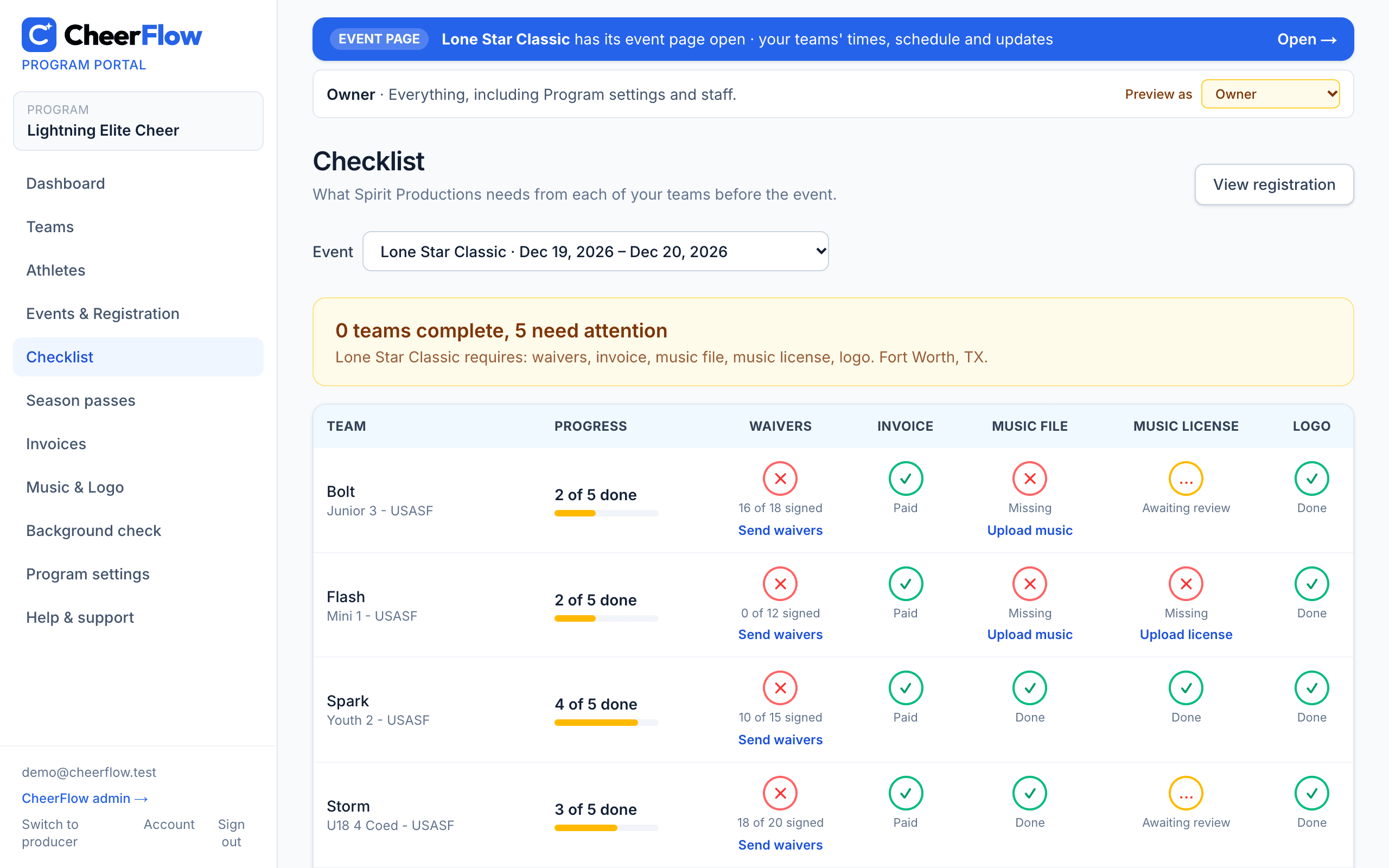
A program checklist on both sides

See what every team still owes you for an event — waivers, payment, music license, and the logo and music file if you require them. Programs get the same checklist for their own teams, with a link to fix each item.

  • Choose per event whether a logo and a music file are required; programs only see what you ask for
  • Programs pick any event they're registered for and see each team's progress (3 of 4 done) and what needs attention
  • Every missing item links straight to where it's fixed: send waivers, pay the invoice, upload music, license or logo
  • Email reminders and the CSV export list only what you require
  • Print a check-in compliance sheet for every program (or one, or only those with something missing): teams, participants, totals, balance, staff with background checks (approved, USASF or USA Cheer), missing waivers and your own certification for the coach to sign
CheerFlow — A program checklist on both sides

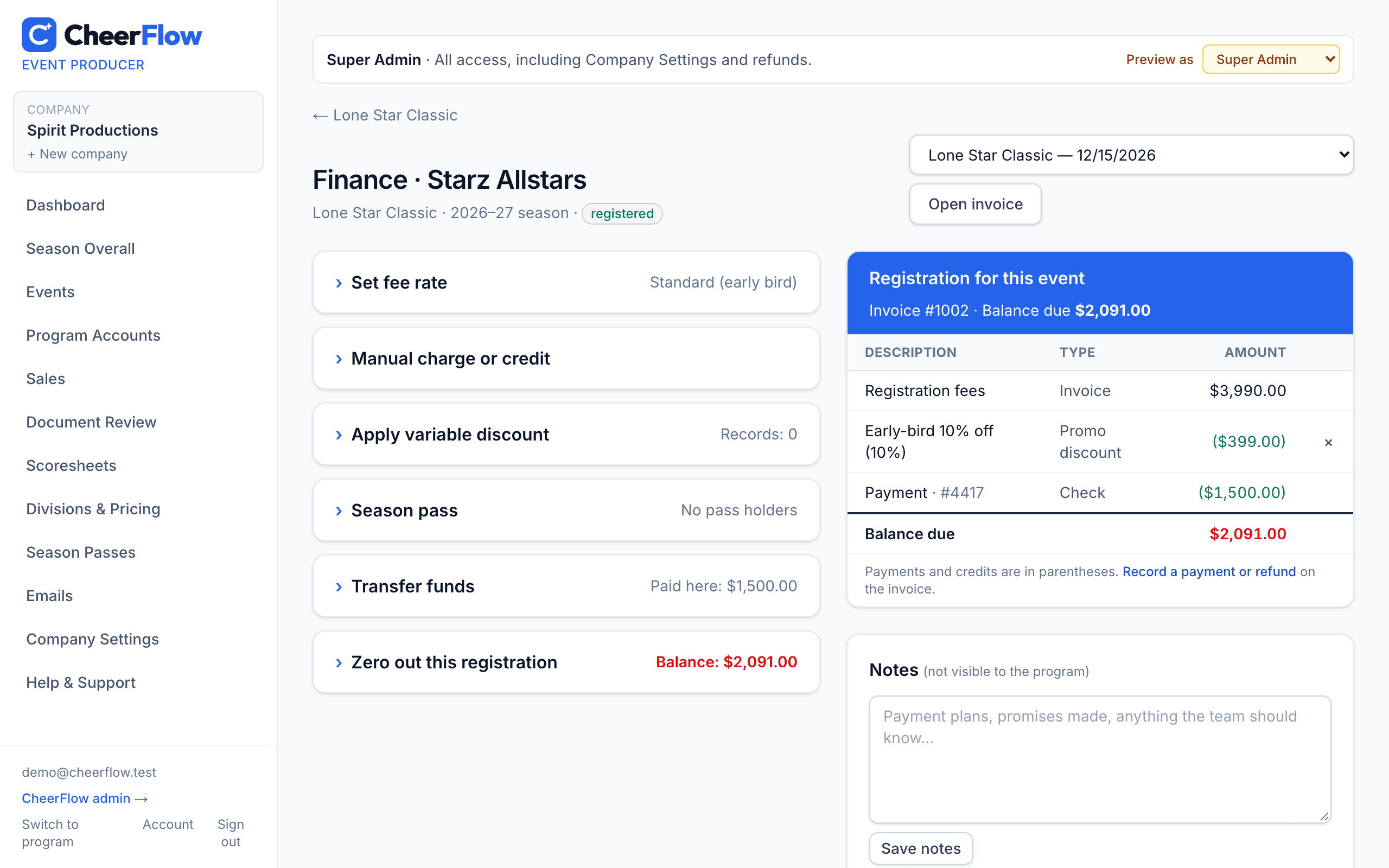
Invoices, payments and every discount

Each registration has a finance page — jump between every event a program attends — with fee rates, variable discounts, season passes, transfers and write-offs.

  • Online card payments, checks and cash on one ledger
  • Season passes for the events and divisions you choose
  • Invoices sent in your company's name, with PDFs in one click
CheerFlow — Invoices, payments and every discount

Event day

Run competition day without the chaos

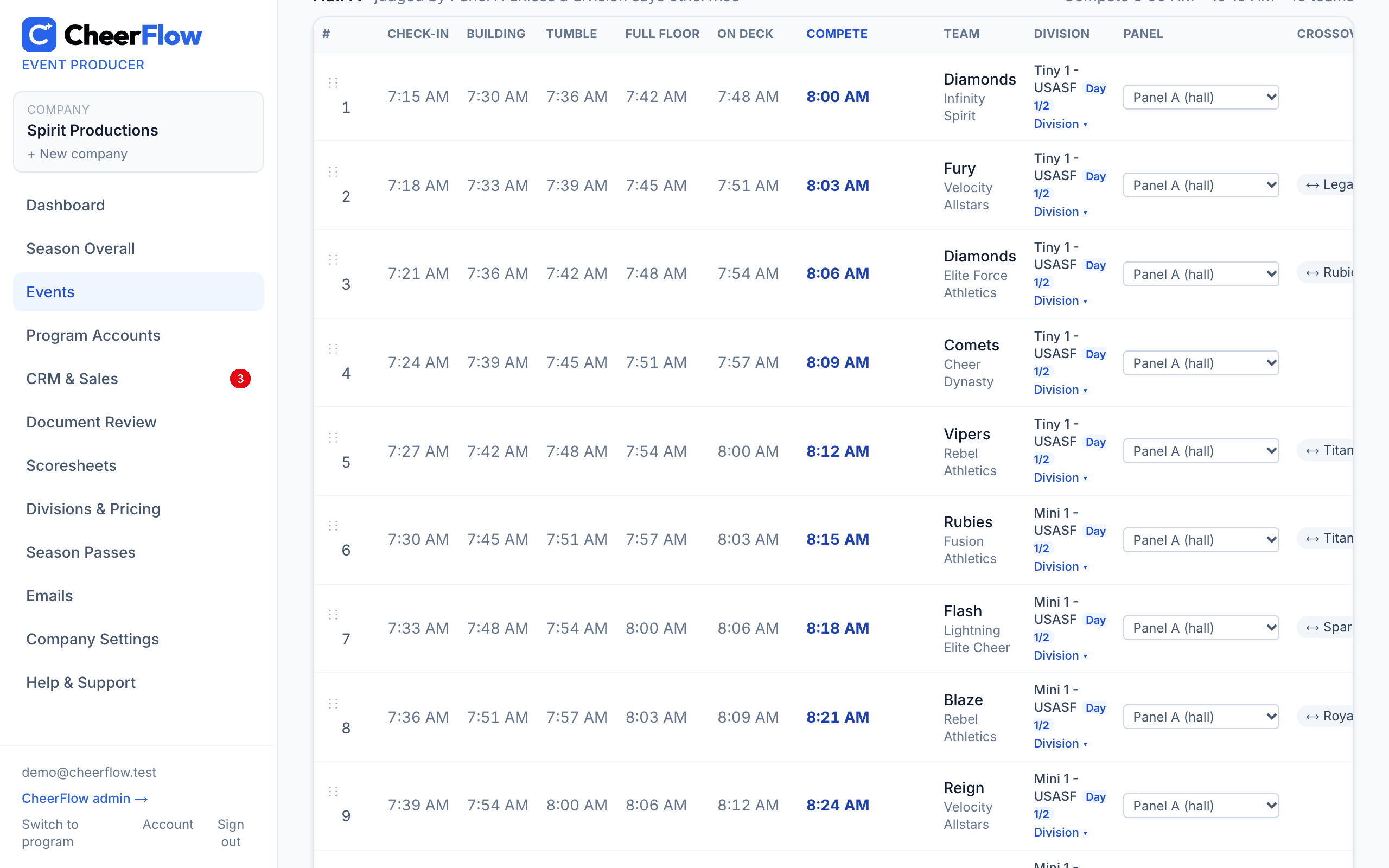
Schedules that build themselves

Auto-build the running order across days and halls with warm-up times, then drag teams, breaks and awards to fine-tune — crossovers are spaced for you.

  • Crossover spacing checked on every move
  • Breaks and awards follow the running order, dead time included
  • Judges panel per hall, division or single team
  • Pick each division's hall, and copy Day 1's order to Day 2
  • Schedule PDFs and Excel, even while it's a draft
  • Publish publicly, or to registered coaches only
CheerFlow — Schedules that build themselves

New

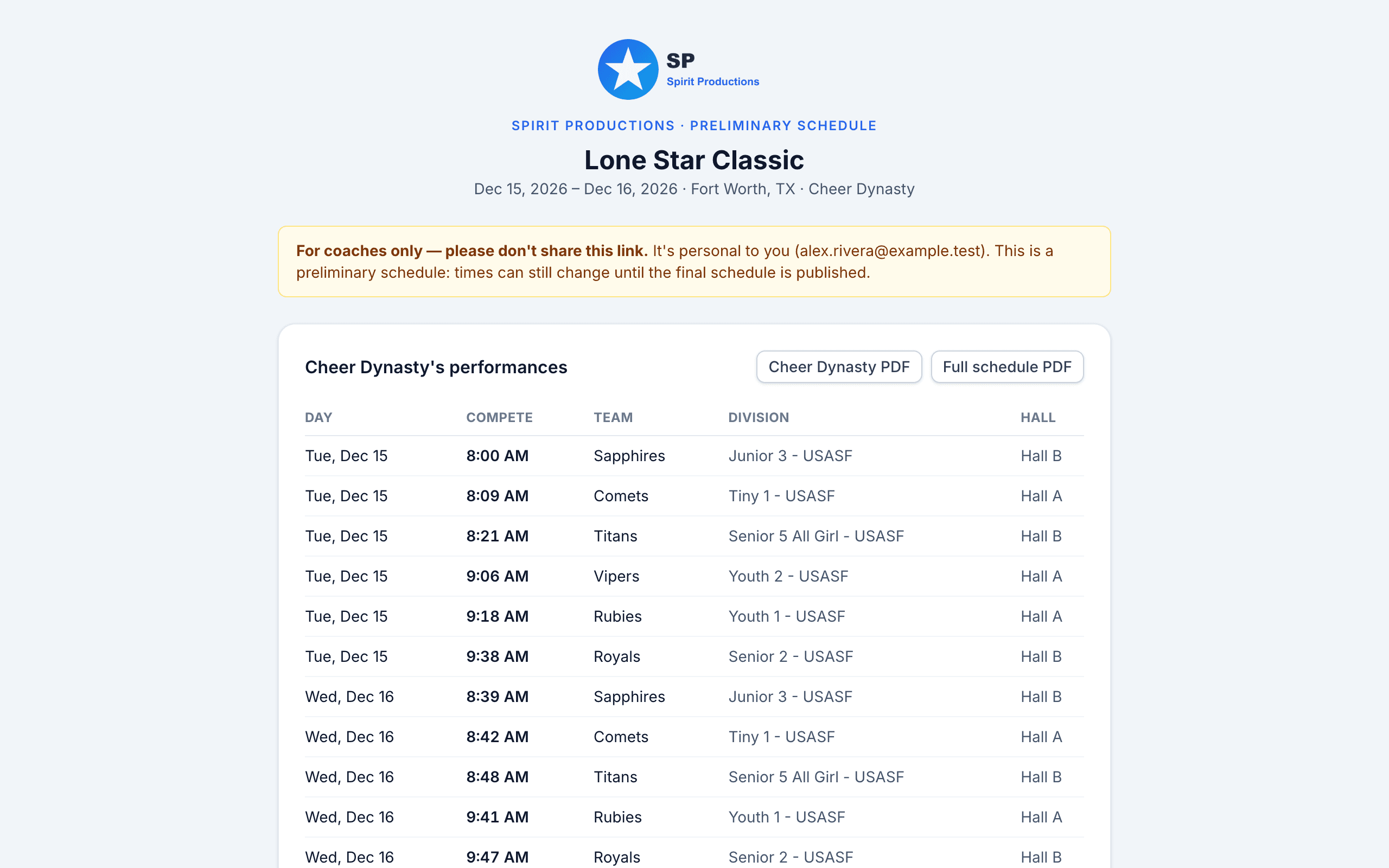
Preliminary and final schedules to every coach — in seconds

Send the preliminary schedule, an updated preliminary, the final or an updated final to every registered program's coaches with one click. Each coach gets a private link and can request a change until your deadline.

  • Coaches only: a personal link and PDF, never the public page
  • Change requests know who sent them, their role and their program
  • Final schedules are read-only; updated sends tell coaches to re-check their times
  • Send to all coaches, or to each program's owners & directors only
CheerFlow — Preliminary and final schedules to every coach — in seconds

New

Block schedules, built from your registrations

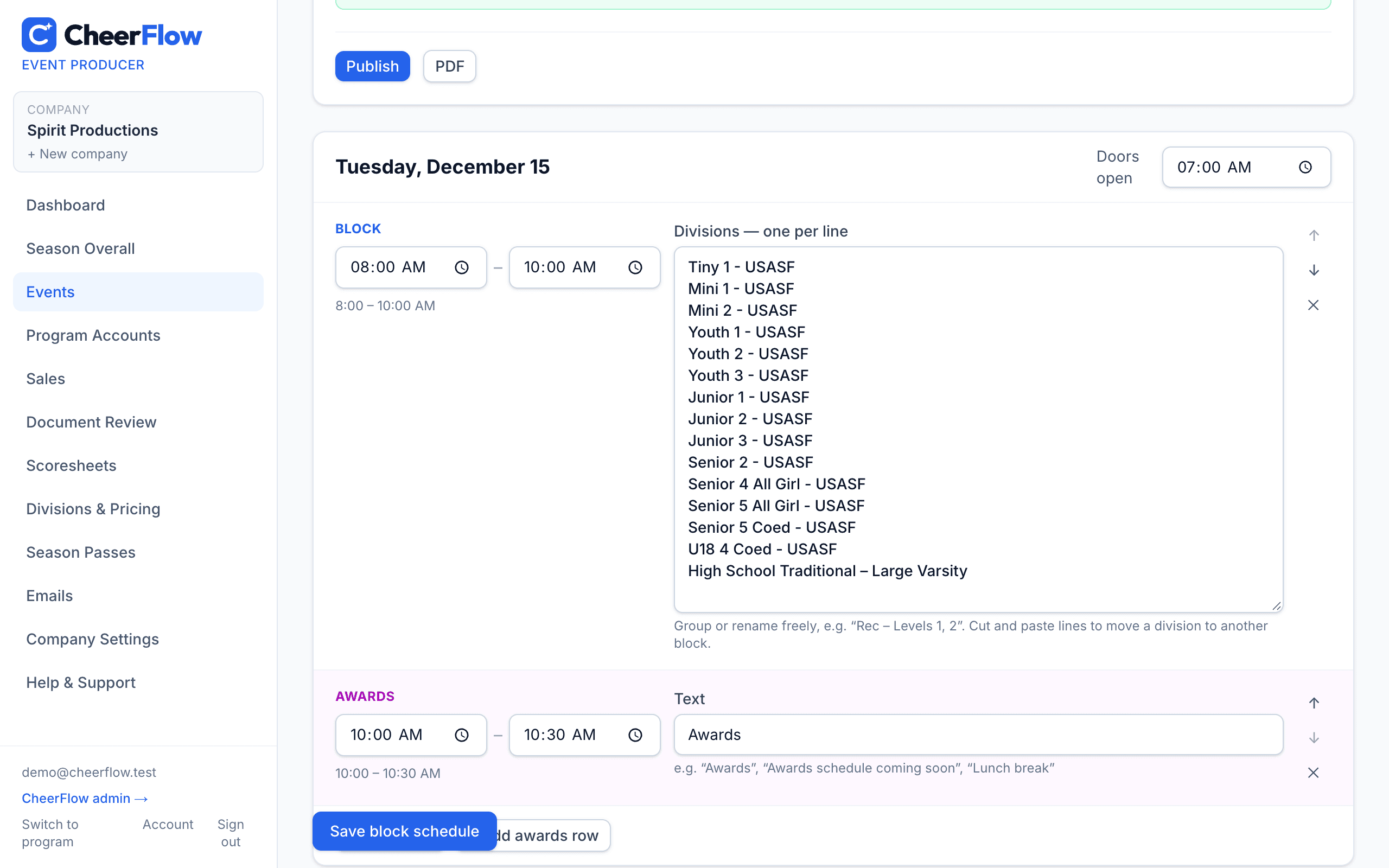
Give families a time frame for every division before the full schedule is out. CheerFlow builds the blocks from your registrations and schedule settings, in the same order as your schedule — you edit anything, then share it.

  • Blocks of about two hours, awards rows in between, doors-open times
  • Built one organization at a time, level by level, youngest to oldest — all USASF Prep (Tiny 1.1, Mini 1.1, Youth 1.1, then the next level), then all OCS Prep
  • Group or rename lines freely — “Rec – Levels 1, 2” — and move divisions by cut and paste
  • Send it to every program's coaches, owners and directors — or owners & directors only — a private link each, no need to publish, then send an updated block schedule when it changes
  • Publish to your event page and programs, or download a branded PDF
CheerFlow — Block schedules, built from your registrations

New

Online waivers with emergency & medical info

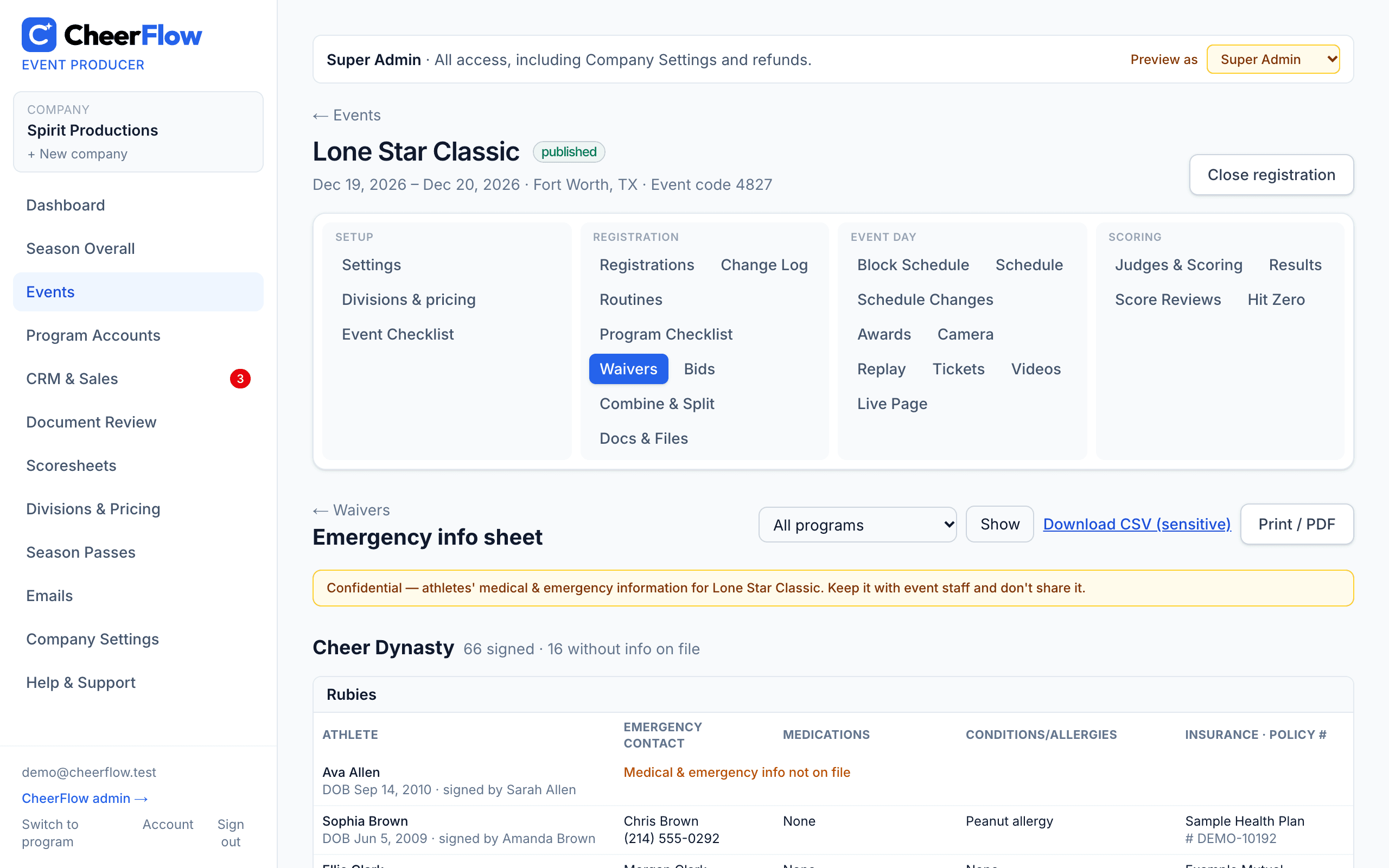
Parents sign on their phone — one waiver per athlete covers all your events — and answer the emergency contact, medications, conditions/allergies and medical insurance questions as they sign. Print an emergency info sheet for event day.
  • Signing for siblings? “Same as above” copies the emergency contact and insurance; “None” fills medications and allergies in a tap
  • Emergency info sheet by program and team, printable or as a CSV — for Super Admins, Administrators and Admin Staff only
  • Program owners and directors see their own athletes' info; coaches, sales and marketing don't
  • Programs get a Waivers page per event: who signed, who's outstanding and who's missing a parent email, team by team — and email the waiver to just the parents who haven't signed, or one parent, in a click
  • Waivers signed before? One click asks those parents to add the info — no re-signing — and never puts medical details in an email
  • Every athlete list shows each athlete's waiver — on file or missing — with a filter for the athletes still missing one
  • A parent typed “Carolyn” and the roster says “Caroline”? The waiver still finds her on the team they picked — and anything that can't be matched is listed for you to link to the right athlete in a click
CheerFlow — Online waivers with emergency & medical info

Every routine, every division, editable

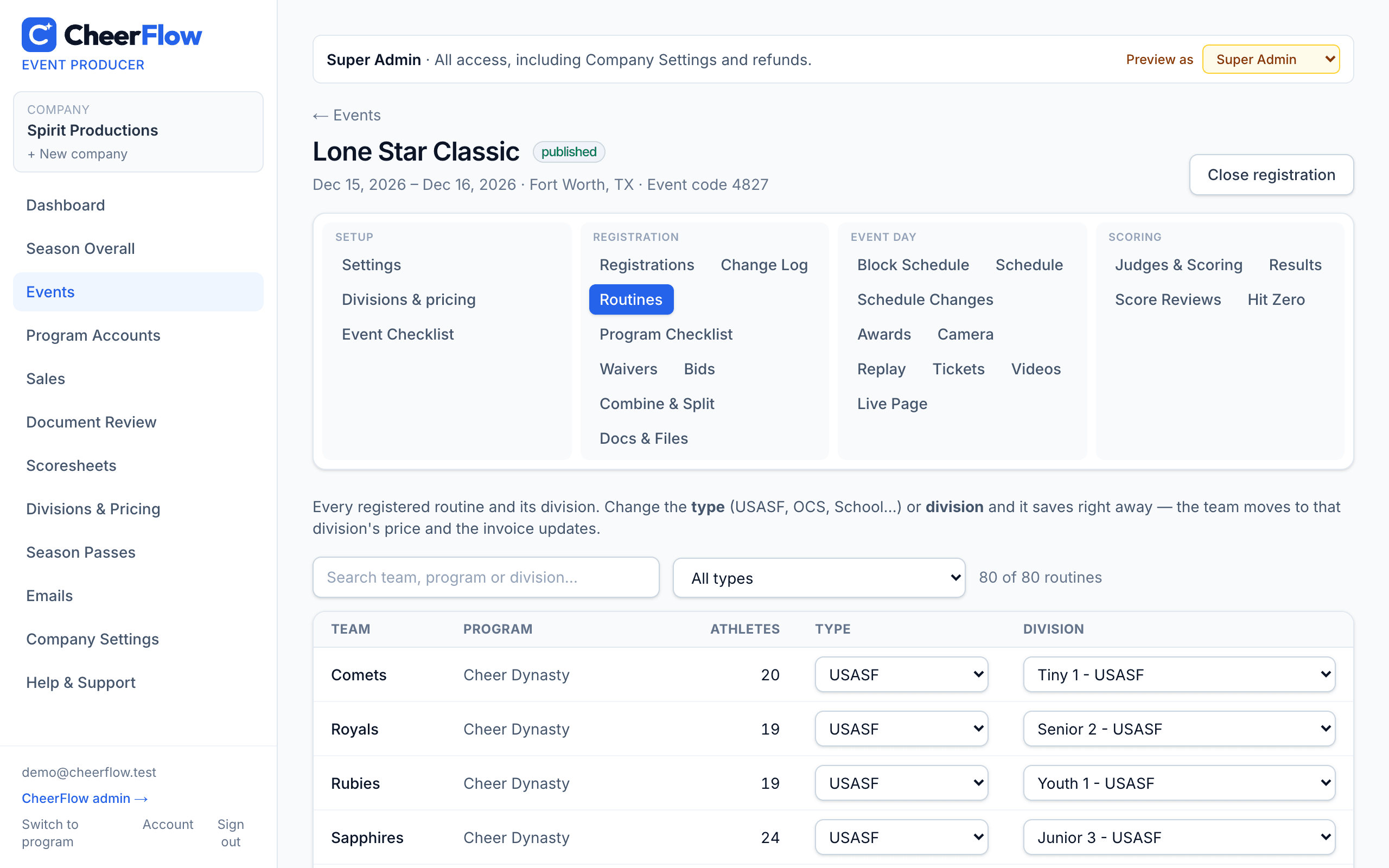
See every registered routine and move a team to another organization or division in one click — USASF Tiny 1 to OCS Tiny 1.

  • Combine small divisions or split big ones
  • Prices and invoices follow the change
  • Scoresheets, panels and awards sessions move with the division
  • Show or hide the USASF / OCS designation on division names
CheerFlow — Every routine, every division, editable

A big-screen board for the venue

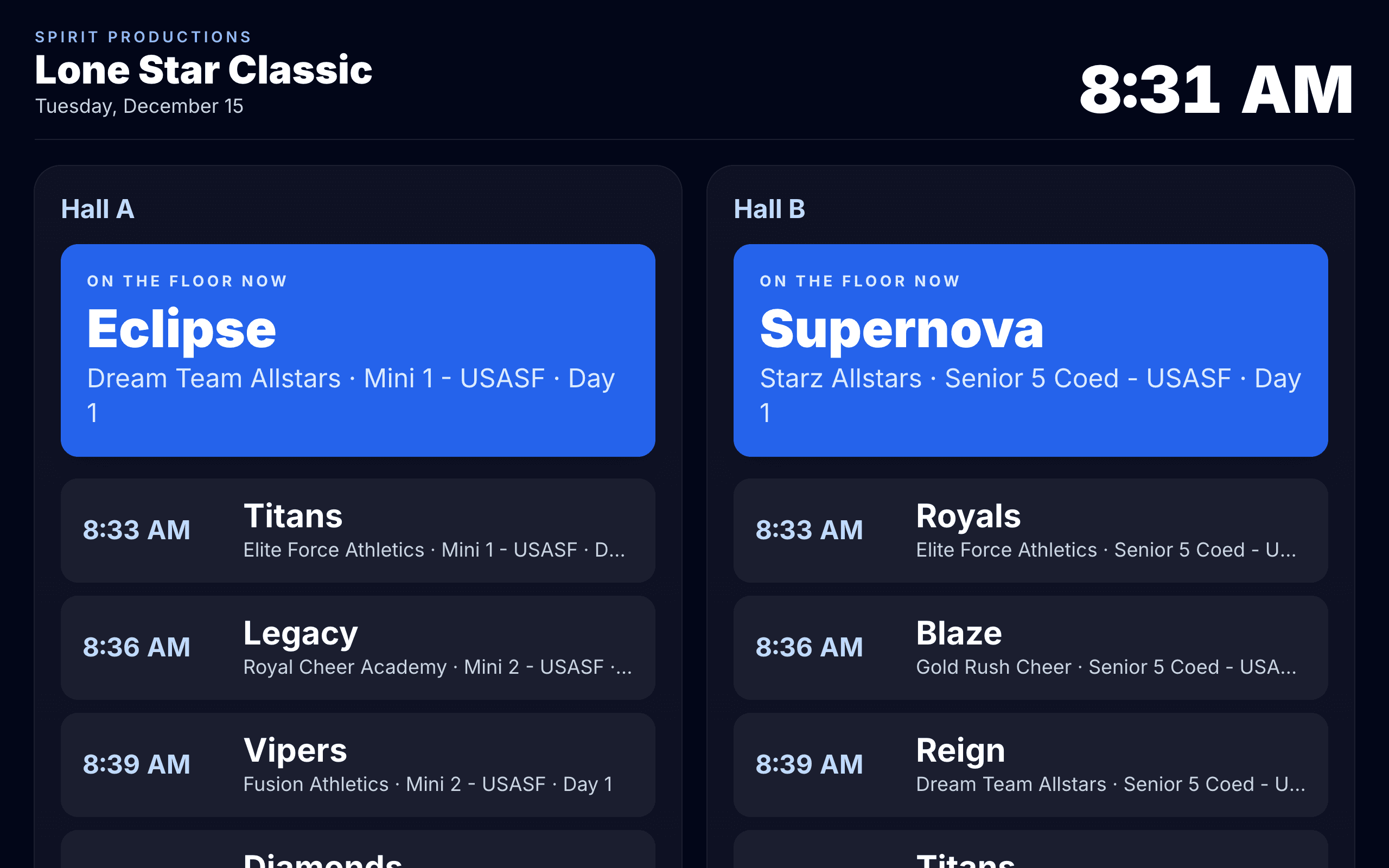
Put it on a TV: who's on the floor now and the next five teams in each hall, moving with the clock.

  • Awards sessions and breaks appear in line
  • Updates on its own as the schedule changes
  • One public link — no sign-in needed
CheerFlow — A big-screen board for the venue

New

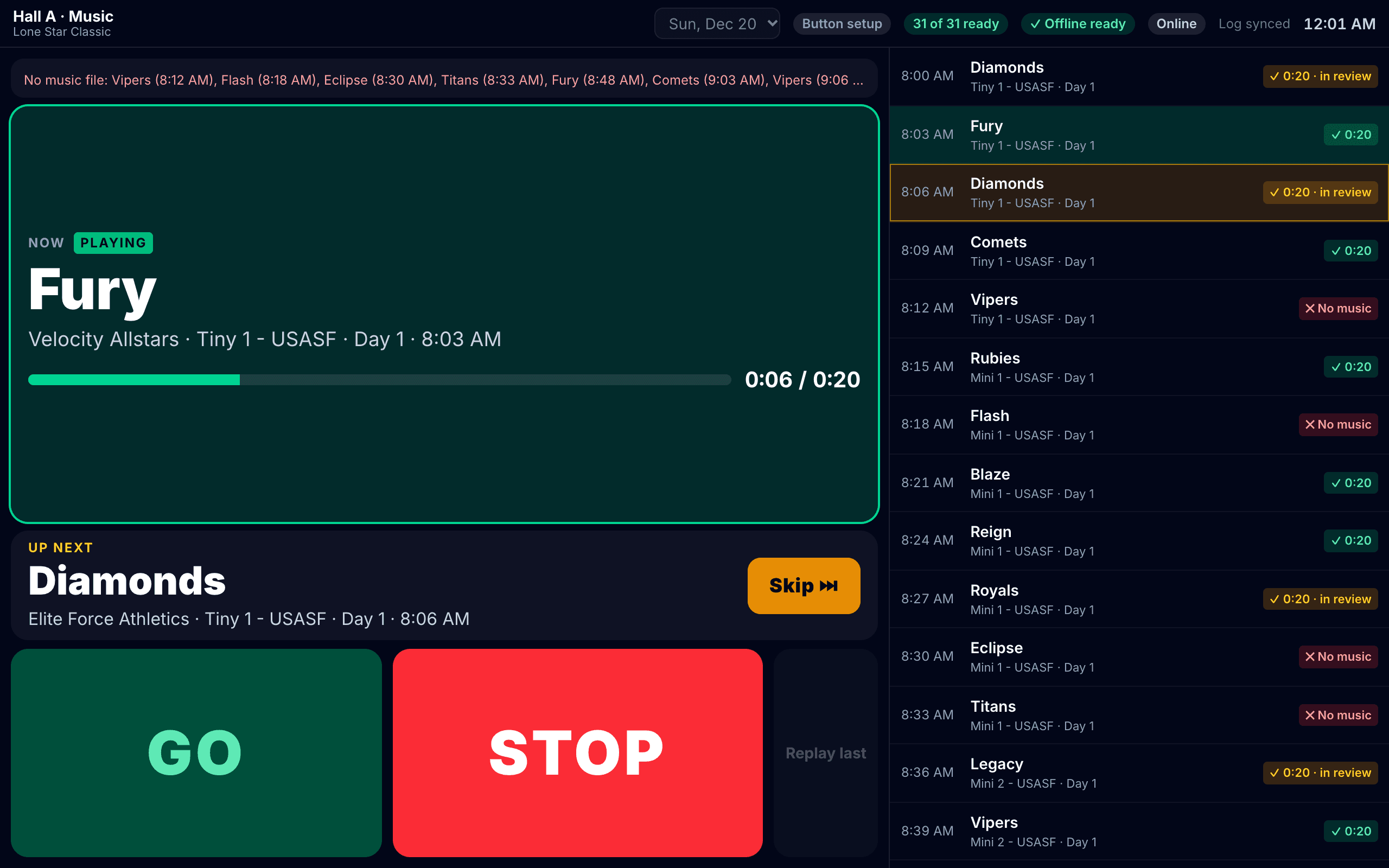
Music for every hall: export for the sound tech, or a GO station

Download every team's music for a day and hall, numbered in running order with a playlist and the running order as a spreadsheet — or run it from a laptop or tablet at the sound board, where the coach presses a wireless button at the mat to start their music. No special hardware to buy or build.

  • Download as a zip, or save straight to a folder or USB stick (Chrome); teams with no music listed
  • Playlist for VLC, Apple Music and QLab; re-export shows who moved since last time
  • Coach GO on any wireless presenter, foot pedal or big button — a second press never stops the music
  • Prepare for offline: every day's music on the device, ready status on the Music page
  • Now / Up next with skip and “own music”; every start and stop logged with times
  • A new upload replaces the team's music right away; music can come in parts (Part 1, Part 2…), each played on its own GO
CheerFlow — Music for every hall: export for the sound tech, or a GO station

New

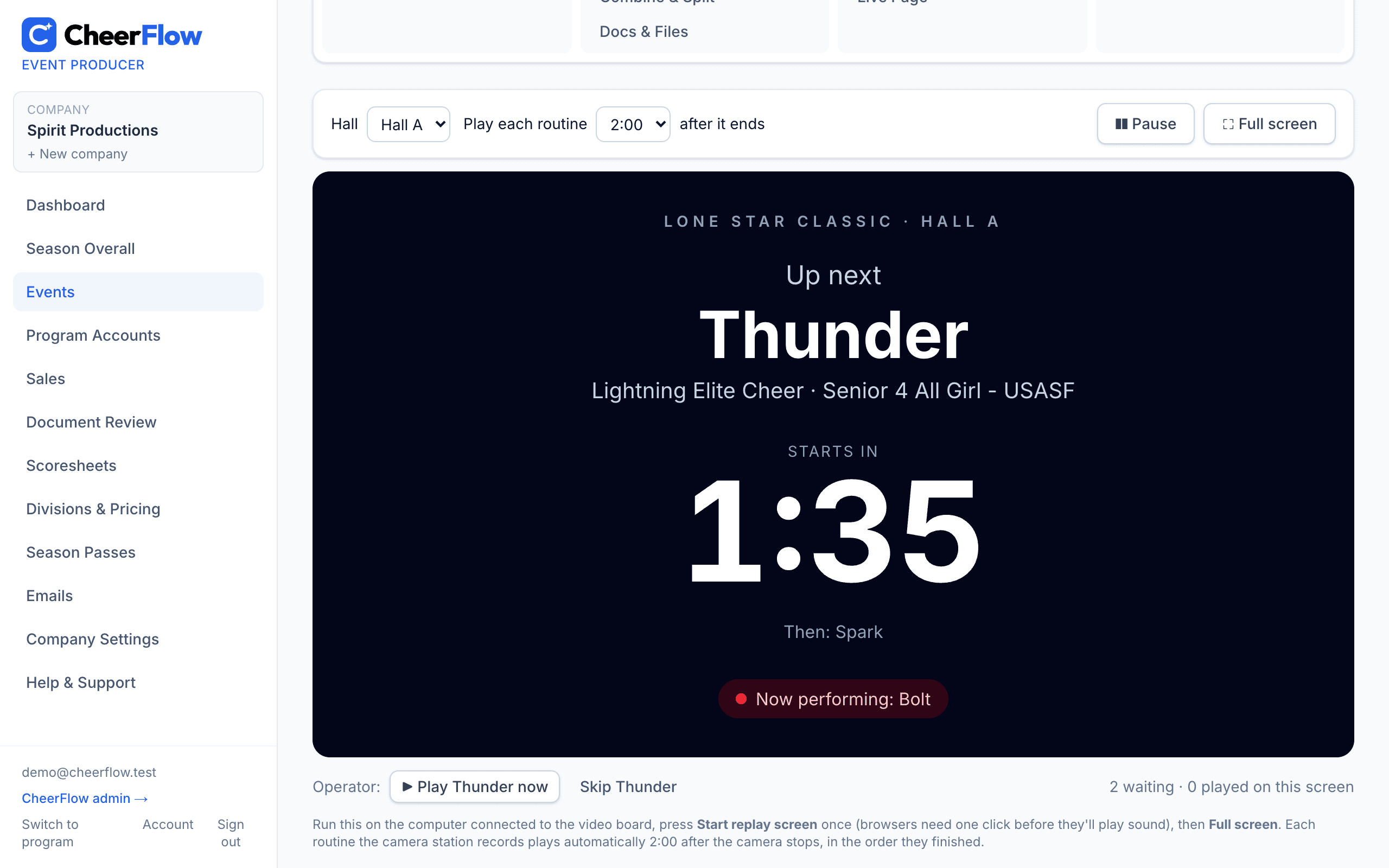
Instant video replay on the big screen

A camera station records every routine. A couple of minutes after a team walks off, its routine plays back on the video board automatically — with an “Up next” countdown in between.

  • Replays queue in the order routines finish, one hall or all
  • Choose the delay, pause, restart or skip from the operator bar
  • The same recordings power video-marked deductions sent to coaches
CheerFlow — Instant video replay on the big screen

Scoring & results

Digital judging from first routine to final award

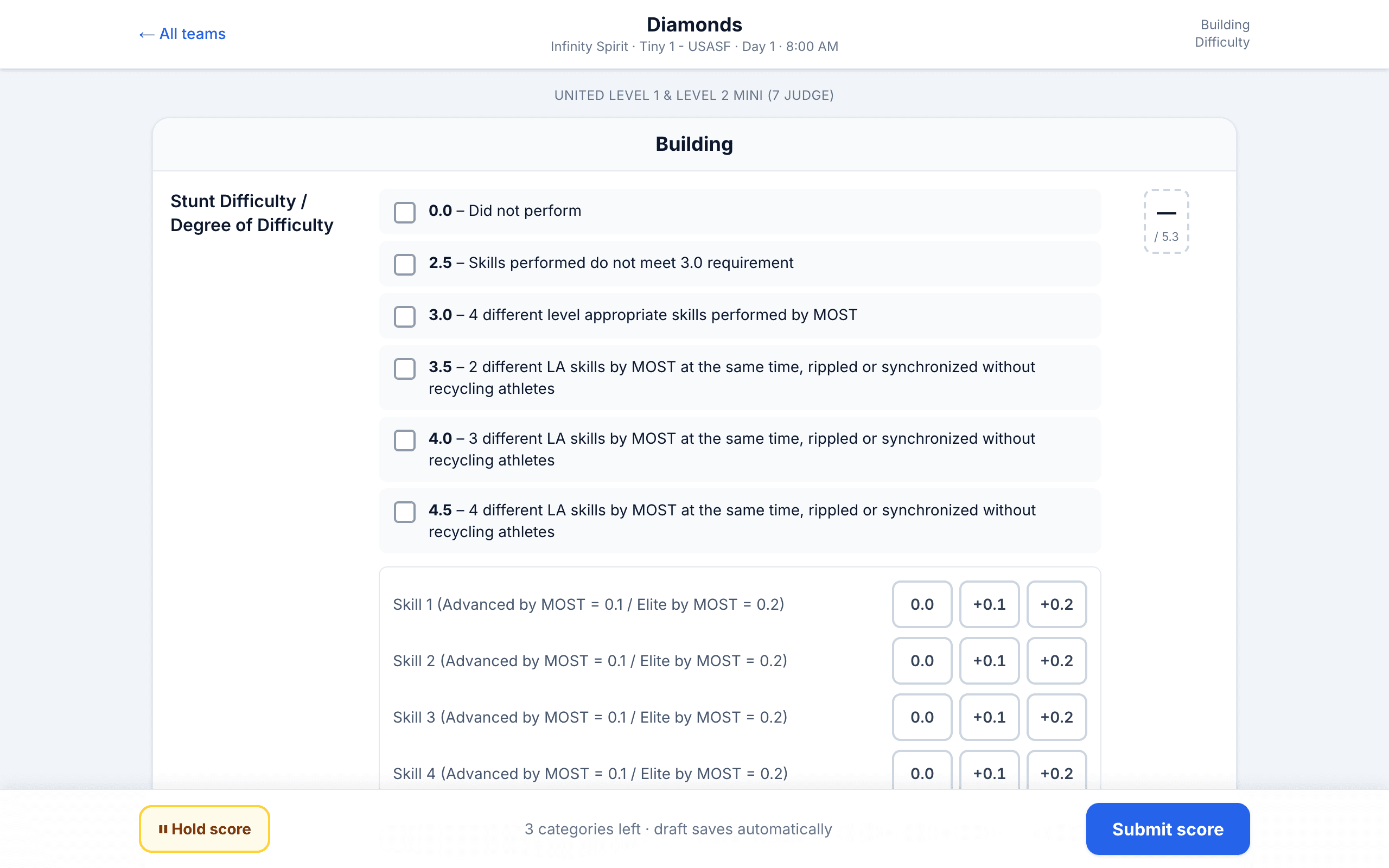
Computer scoresheets for every judge

Judges sign in with a username and the event code and score in performance order. Built-in USASF, United and OCS sheets — or import your own.

  • 5- or 7-judge panels; deductions and safety together or apart
  • Video-marked deductions sent to every coach on the team as clips — or only to the program's owner, if the owner prefers
  • Head judge approves divisions before results go out
CheerFlow — Computer scoresheets for every judge

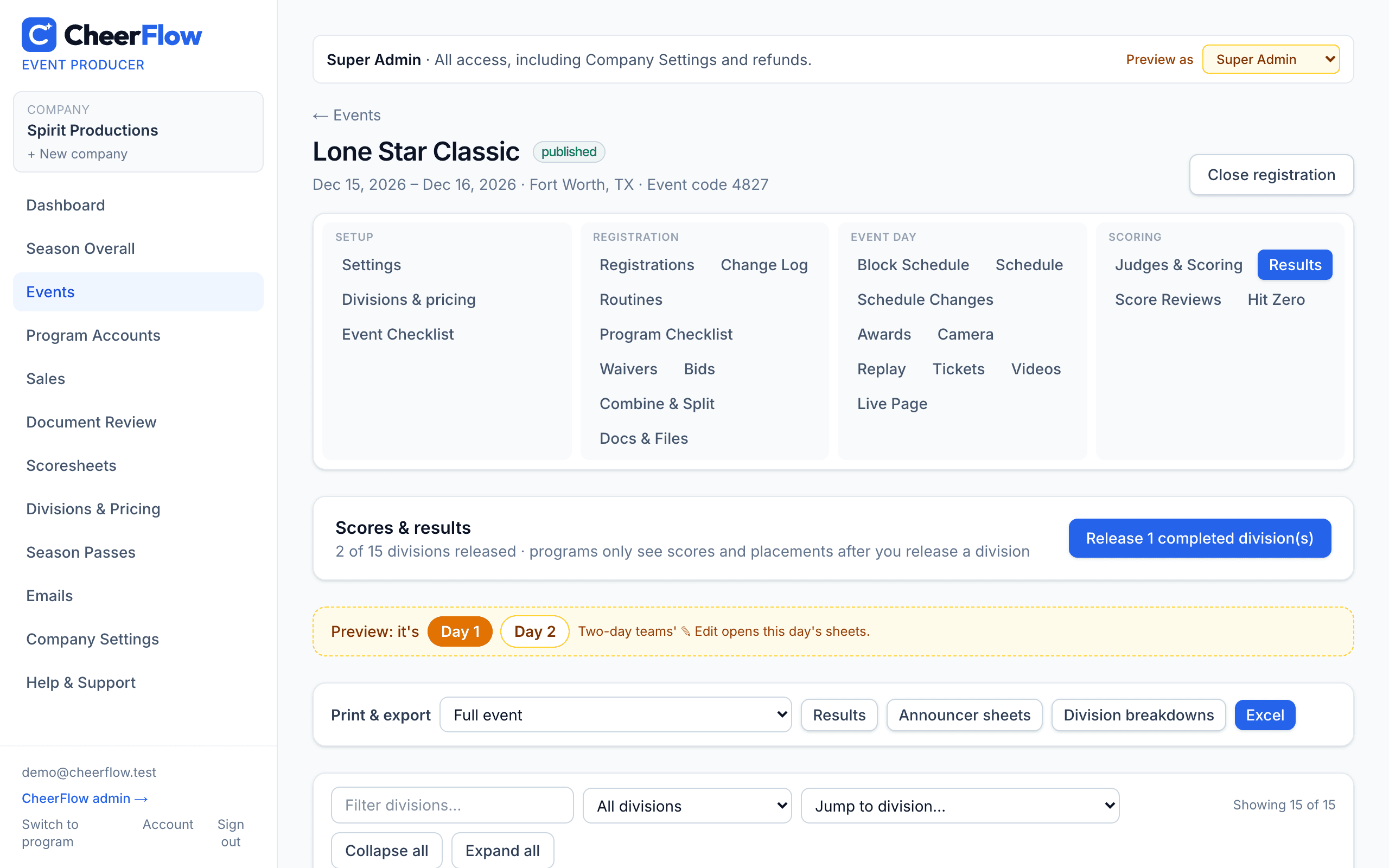
Results, breakdowns and announcer sheets

Placements calculate as scores come in, in the order divisions finish on the schedule. Release every locked division at once — to the public or to programs only — print announcer sheets last place to first, and send any scored team its scoresheets.

  • Public or programs-only results releases
  • Two-day divisions with weighted finals
  • Category breakdowns in print, PDF and Excel
  • Score review requests with instant alerts
CheerFlow — Results, breakdowns and announcer sheets

Hit Zero and specialty awards

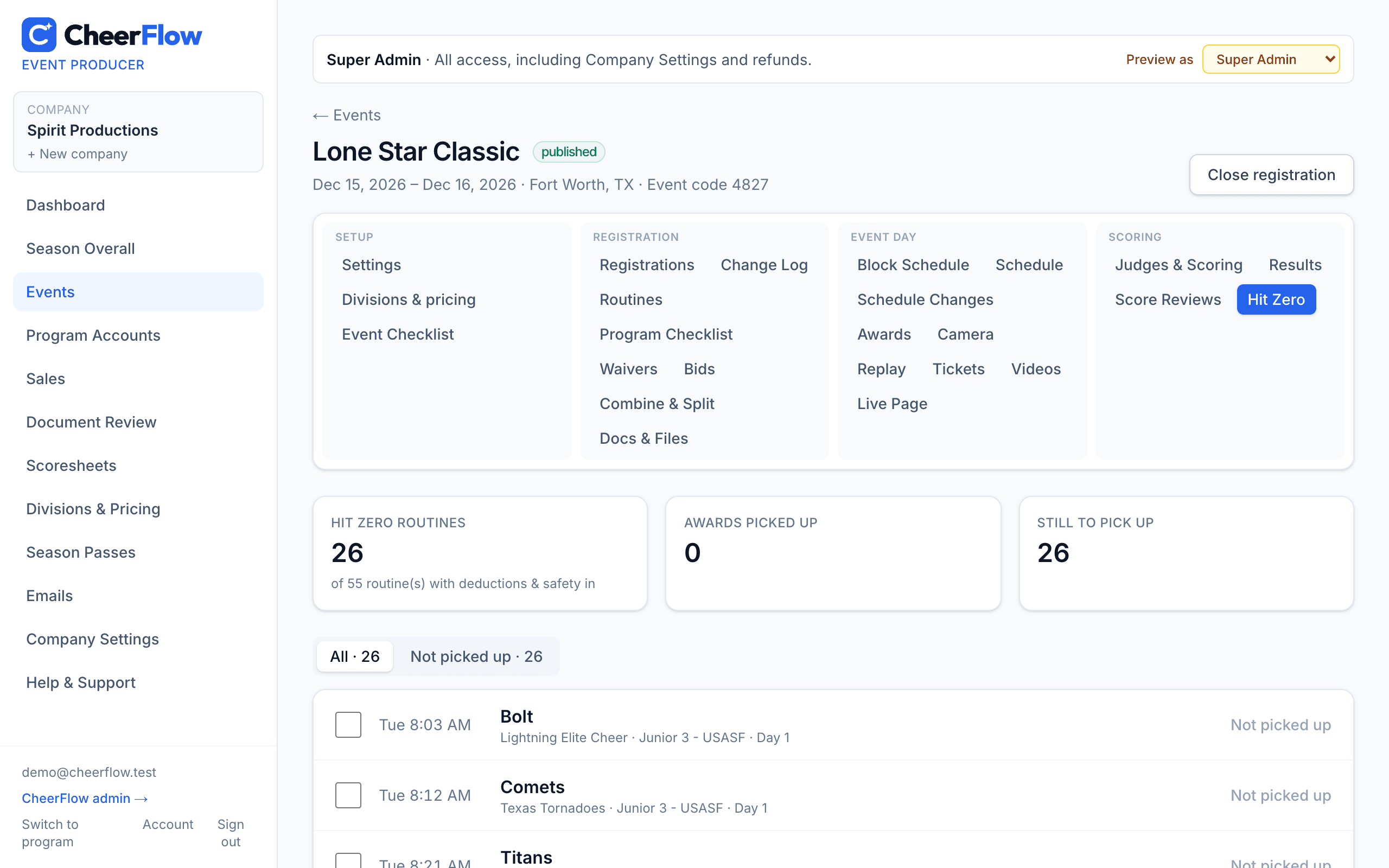
Every routine with zero deductions is listed automatically — check them off as the award is picked up. Grand Champions, Level Champions and ratings fill in from the scores.

  • Specialty awards on the awards schedule and announcer sheets
  • Awards Needed report with trophy and medal counts
  • Classic presets: GC, Studio, TCDA, OCS, United and more
CheerFlow — Hit Zero and specialty awards

New

Bids, bid intent forms and awarding

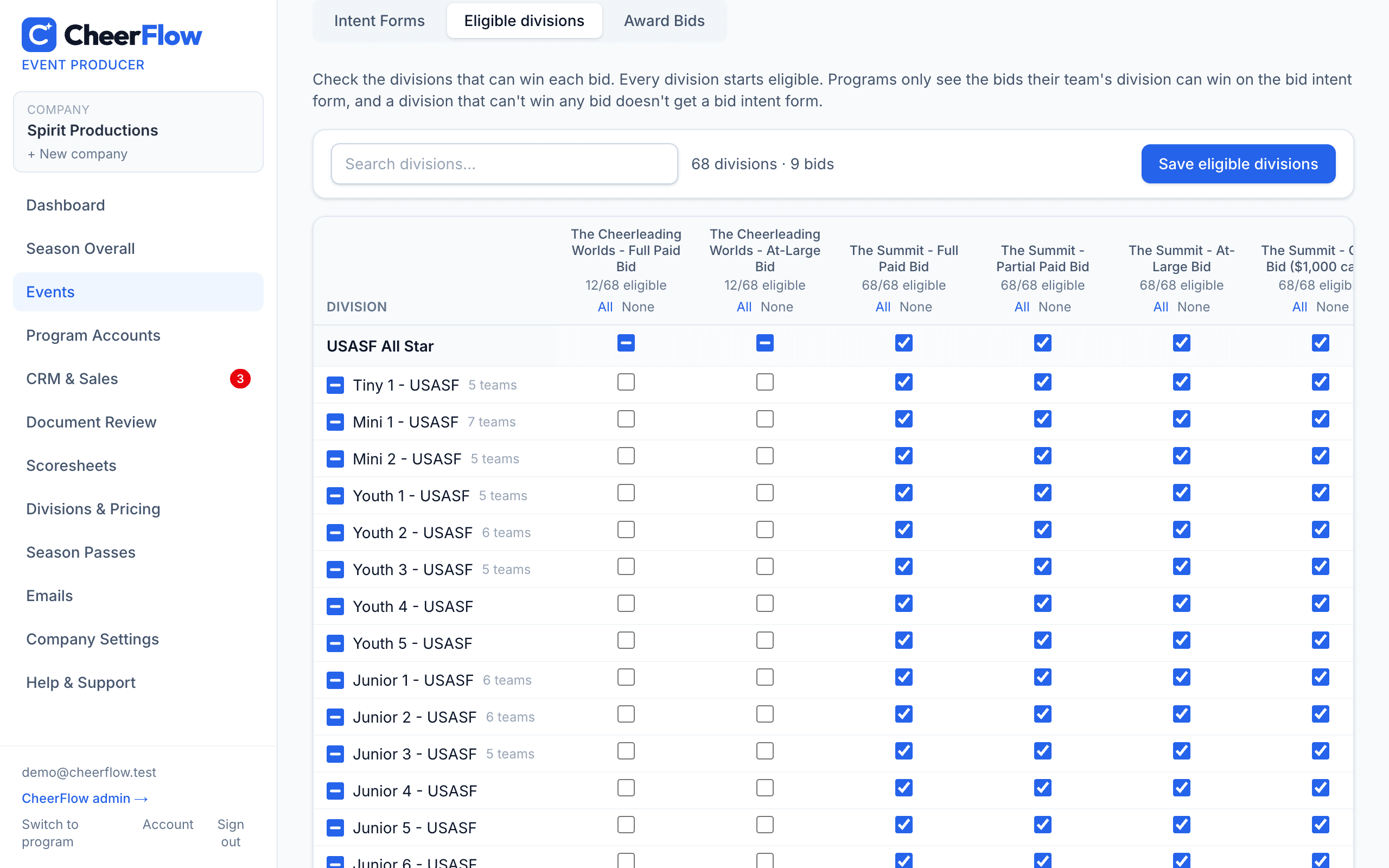
List the bids you award for each championship — Full Paid, Partial Paid, At-Large, Wild Card or a cash bid with its dollar amount — check which divisions can win each one, and limit a championship's bids to USASF D1 or D2 programs. Programs rank only the bids their division and D1 / D2 can win, and you award them from the scores.

  • Cash bids show their dollar amount everywhere
  • D1 / D2-only bids, with the program's D1 / D2 on every report
  • Eligible divisions per bid, with select all by group
  • Interest by bid in PDF and Excel
  • Award bids by division or overall ranking
CheerFlow — Bids, bid intent forms and awarding

Your business

See the whole season at a glance

One dashboard for every event

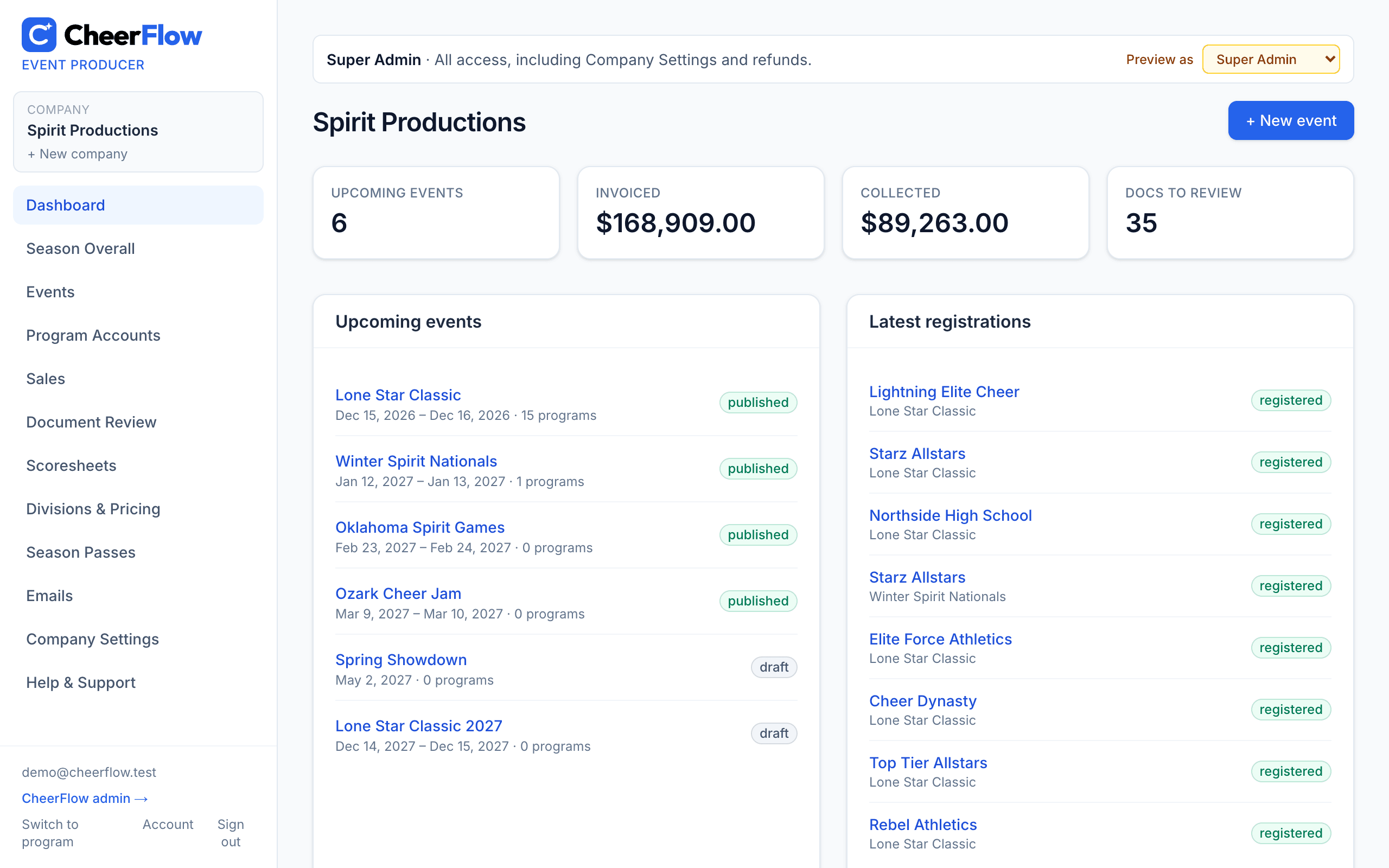
Upcoming events, money invoiced and collected, and documents waiting for review — the moment you sign in.

  • Staff roles from Super Admin to Video Only
  • Every email goes out in your company's name, with your logo
  • Each person chooses which email alerts they get
  • Hear the moment a program pays an invoice — by email and on your phone — with the new balance
  • Ticket sales by email: each online sale, or one summary each morning with yesterday's totals online and at the door
CheerFlow — One dashboard for every event

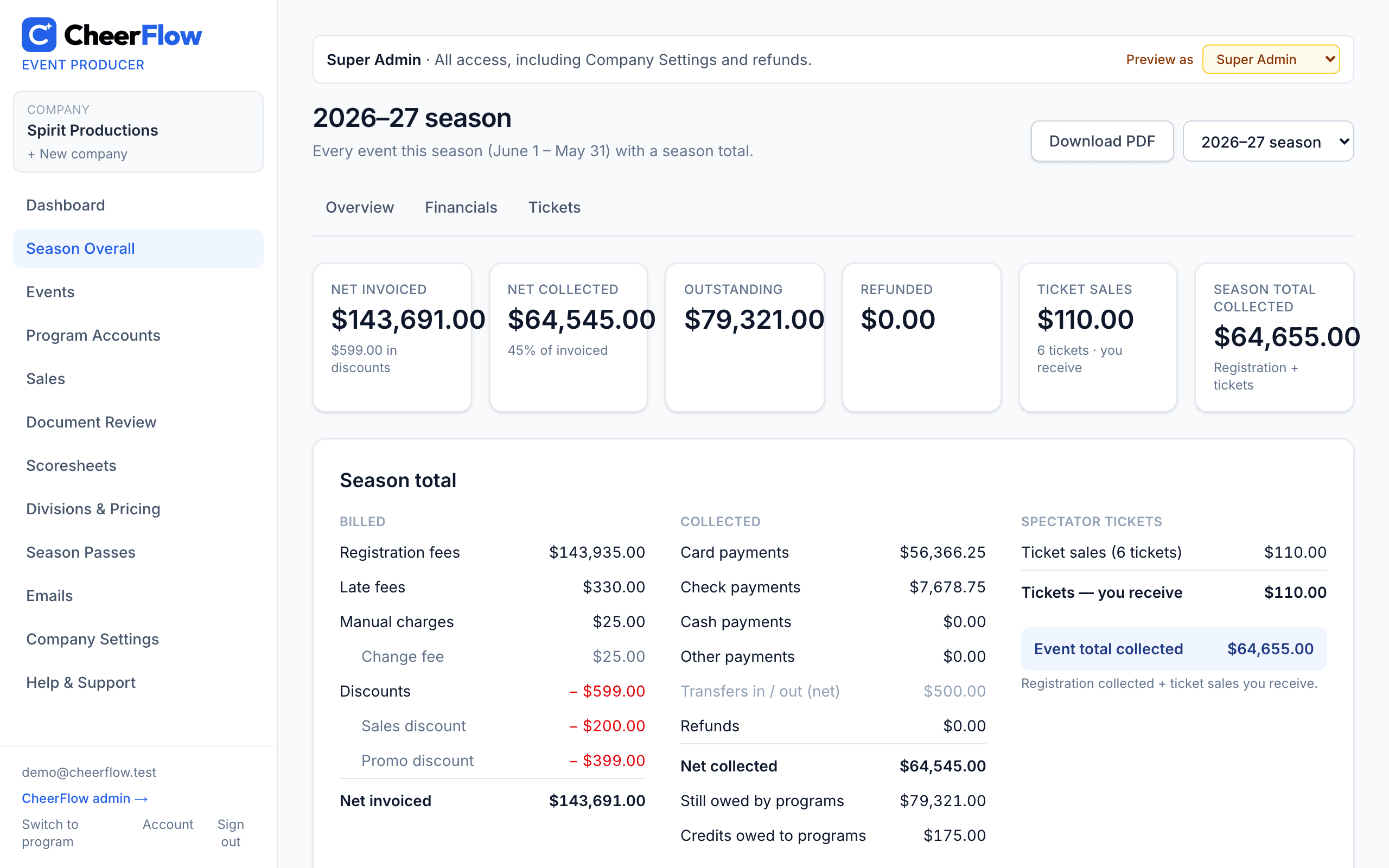
Season overview and financials

Every event this season side by side: programs, teams, athletes, waivers, fees, discounts, payments and balances — with PDFs to share.

  • Season pricing every event inherits — by event type (Classic, Championship, Nationals, Grand Nationals, Super Nationals, 1- or 2-day, Virtual) or by days; start a new season by copying last season's prices
  • Late fees per athlete, deposits and balance dates
  • Export anything to Excel
CheerFlow — Season overview and financials

Ready to see it with your events?

Create an account in a couple of minutes — producers set up their first event, programs build their teams.

Coaches and parents: get the CheerFlow app on the App Store or Google Play